
Transmission (Recording)
This tool panel allows the real-time control of the video stream view in the transmission room.
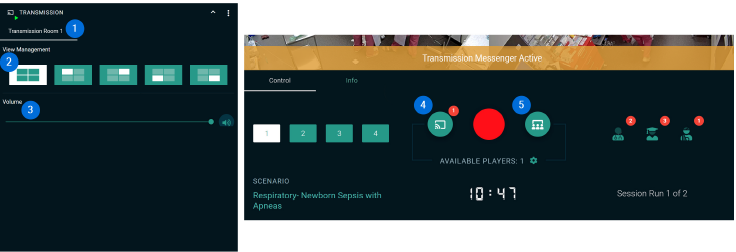
- Available Transmission Rooms
The available live transmission rooms can be accessed via the tabs. - View Management
Control of the transmission view: Allows you to control the video stream selection for the live transmission directly from a SIMStation Control Unit (videos only). - Volume Control
Here, the volume of the transmitted audio signals can be adjusted. - Video Transmission Control
Activate/deactivate the video transmission manually (in this case, to 1 room). - Audience Transmission Control
Activating this button starts the transmission of the selected audience text.