
CPH Leave Request System
This page documents usage and support for the CPH Leave Request system, "the leave system", located at: https://cphapps.temple.edu/leave
Workflow
The workflow for the Leave System is simple.
-
Employees select day(s) to request to be out of the office in the "Request Leave" tab.
-
The request is sent to the appropriate supervisor, who will receive email notification with the request.
-
The supervisor logs into the Leave system; supervisors can see the requested days in the "Manage tab".
-
Supervisors has the option to either approve/deny the request from the "Pending Request" table or can use the "popup" action for a more granular approach.
-
The supervisor, employee, and the timekeeper will get email notification of the approval or denial.
Logging in
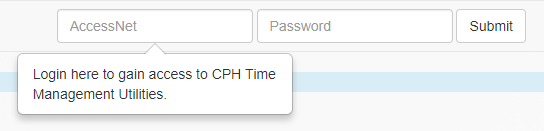
Login at located at: cphapps.temple.edu/leave. The login area is in the top-right of the screen.
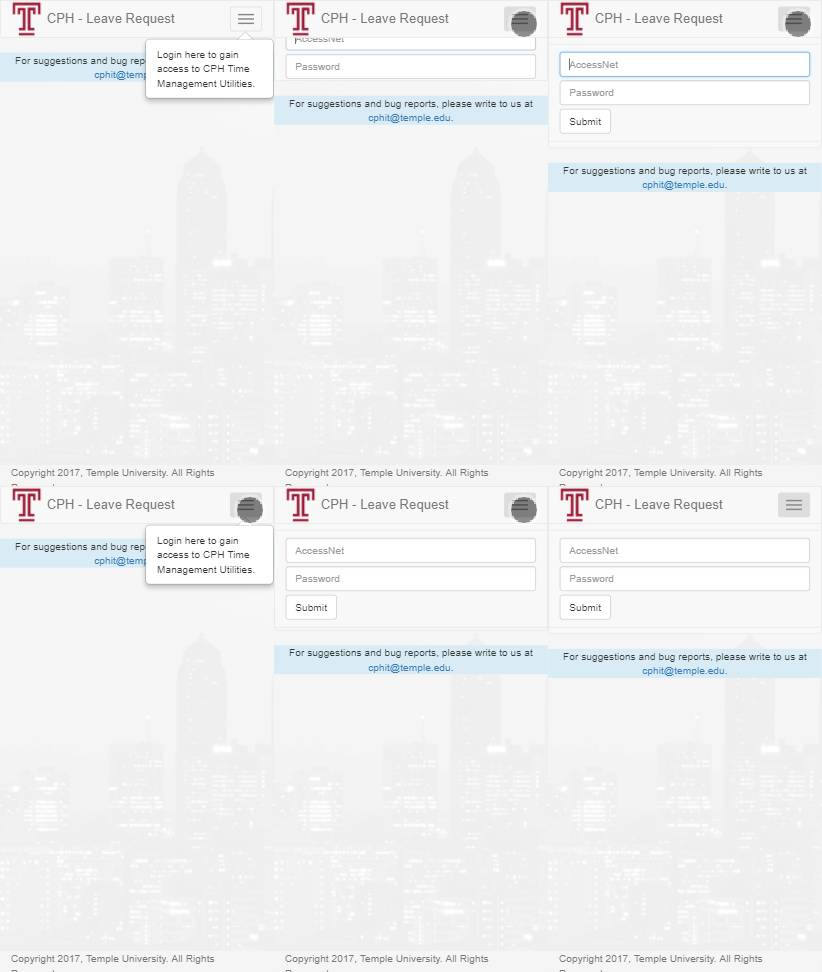
If you are on a mobile device, you will have to expand the hamburger menu first:
Pages
The Leave system has four major pages, that are accessible as tabs:

Click the items below to see more detailed information about the features available on each page.
-
Settings or ⚙ (Gear glyph)
Timekeepers will see an additional tab:
Frequently Asked Questions (FAQ)
Please see the Frequently Asked Questions page for more information.