Dashboard

Once you log in to Exxat PRISM at https://login.exxat.com

As of mid-2026, the Dashboard page for Prism looks like the following
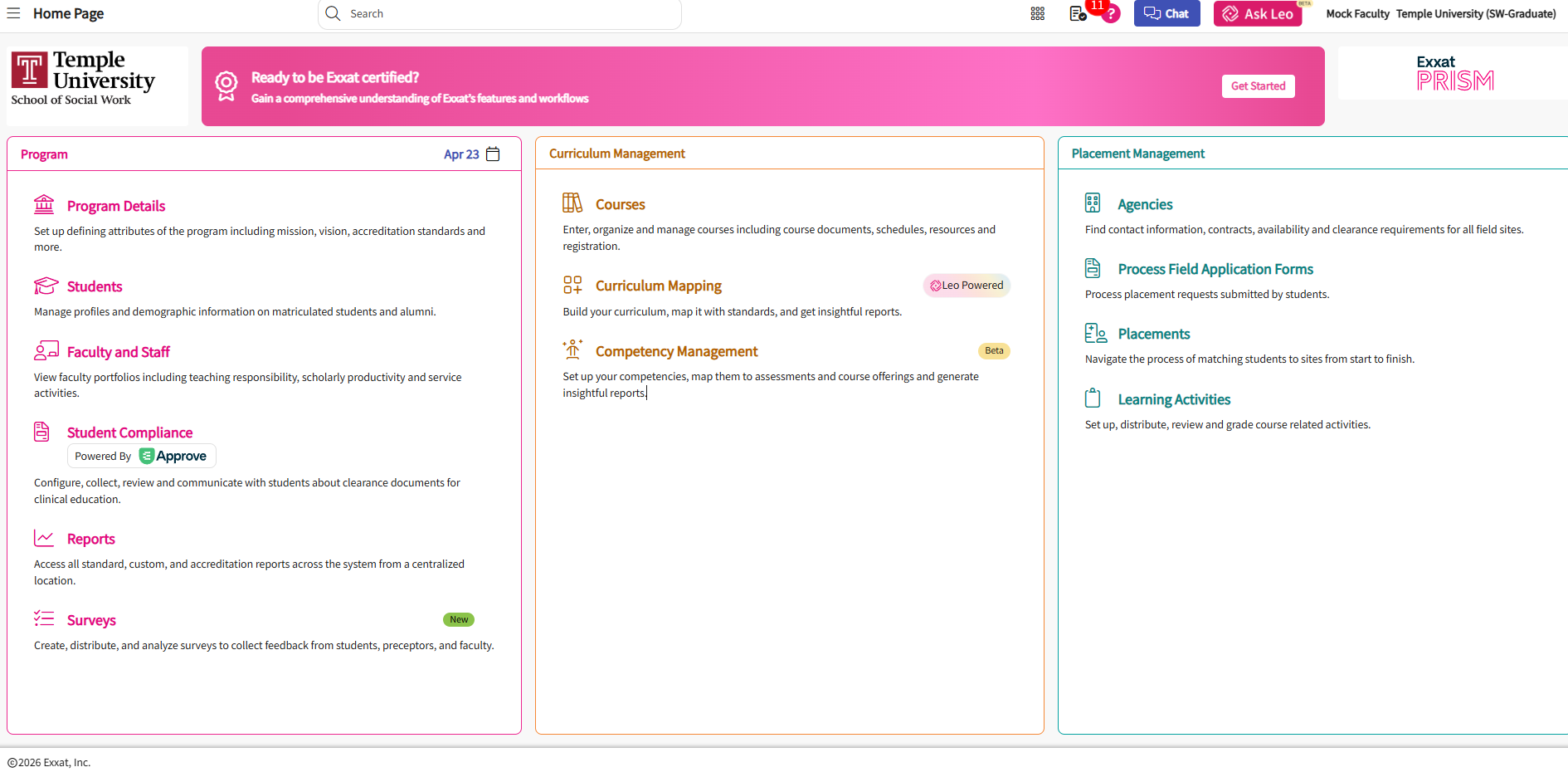
image.png

image of Exxat PRISM dashboard - https://login.exxat.com 

You'll notice three sections from left to right- Program, Curriculum Management, and Placement Management. You will need access to pages listed under each section; however, there are many sections and functionality of  Exxat that you will not need to utilize due to program and institutional configuration.

 

Screenshot 2026-04-23 135336.pngimage.png

image of the top menu items in Exxat PRISM - https://login.exxat.com 

  1. Side menu - also called a "hamburger menu" in Exxat directionsdirections, this can be accessed for navigation from any page
  2. CollegeName imageof filecurrent page
  3. Main Dashboard link - thisif imageyou have access to just one program, you will belink embeddedto in all emails sentit from Exxathere. If you have access to students,more preceptors,than faculty,one program instance (e.g. MSW and sites.
  4. BSW,
  5. CalendarBSN linkand (*newABSN), March 2026*) - clicking on the date postedthis will link to a calendarlanding page.page Aswhere you can switch between programs
  6. Resource Center - this gives you a range of mid-2026icons
  7. Chat - chat with Exxat support
  8. Release notes - this is onlynow viewablelinked forunder admins/coordinatorsthe Resource Center icon
  9. Ask Leo - this opens an AI chat bot
  10. User profile - this displays your name and notprogram. forClicking otherthe facultydown orarrow students.to Rotationthe dates,right coursewill dates,bring keyup evaluationconfiguration dates,settings
  11. contract
expiration

 dates,

and

 custom

events

Screenshot 2026-04-23 153657.png

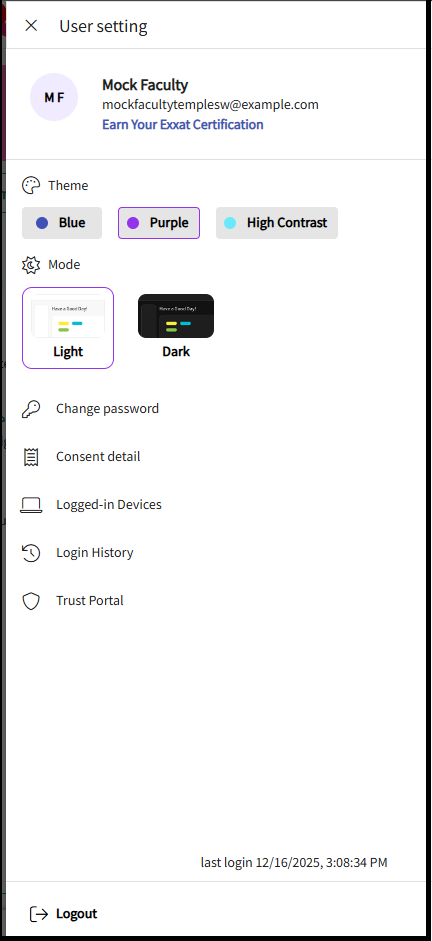
User profile settings

From this page you can bechange storedthe background theme, light settings, consent detail, Please note - you cannot change your password as we utilize single sign on (SSO)