
Dashboard

Once you log in to Exxat PRISM at https://login.exxat.com

As of mid-2026, the Dashboard page for Prism looks like the following
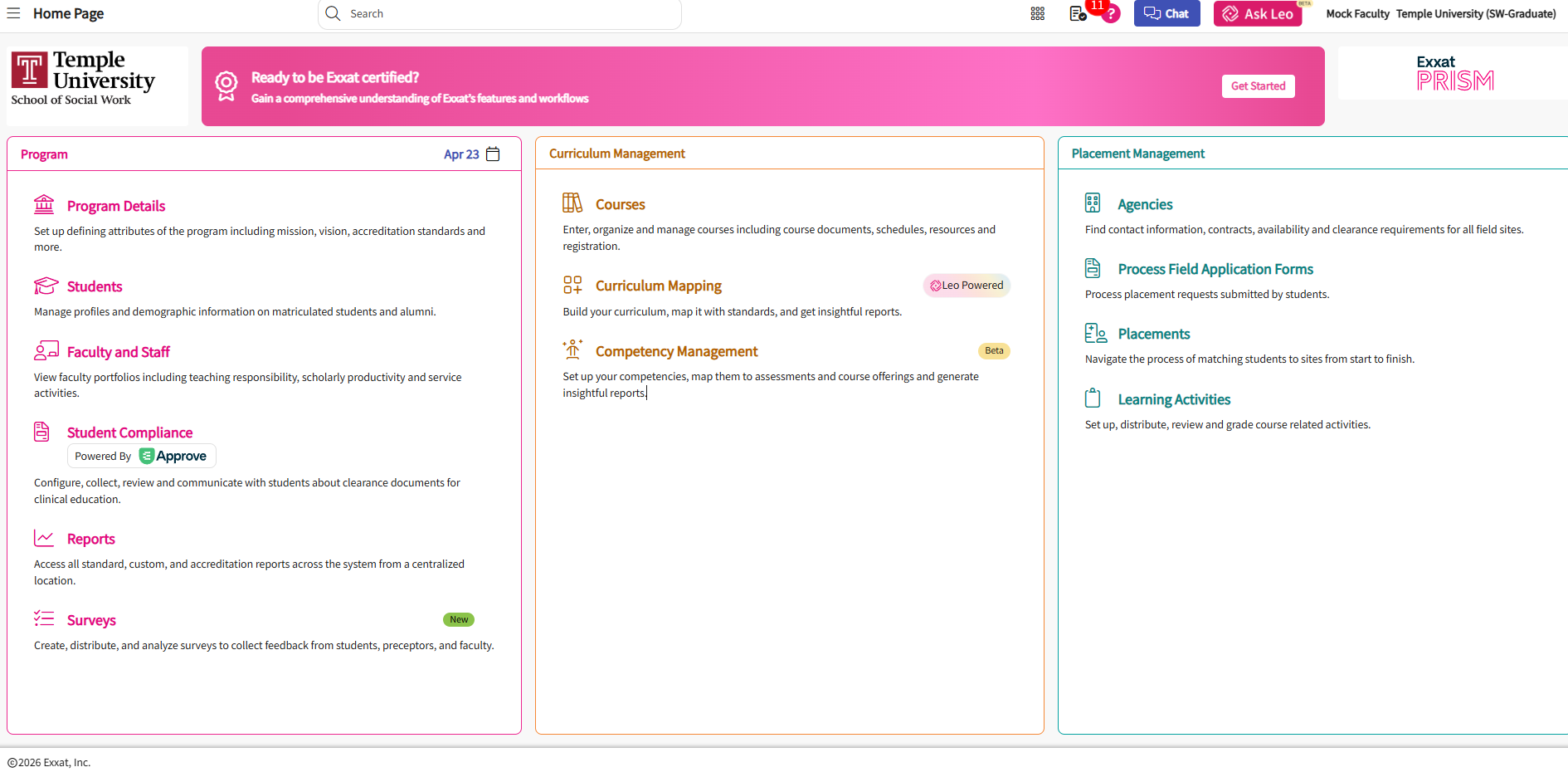
image.png

image of Exxat PRISM dashboard - https://login.exxat.com 

You'll notice three sections from left to right- Program, Curriculum Management, and Placement Management. You will need access to pages listed under each section; however, there are many sections and functionality of  Exxat that you will not need to utilize due to program and institutional configuration.
 

Screenshot 2026-04-23 135336.png

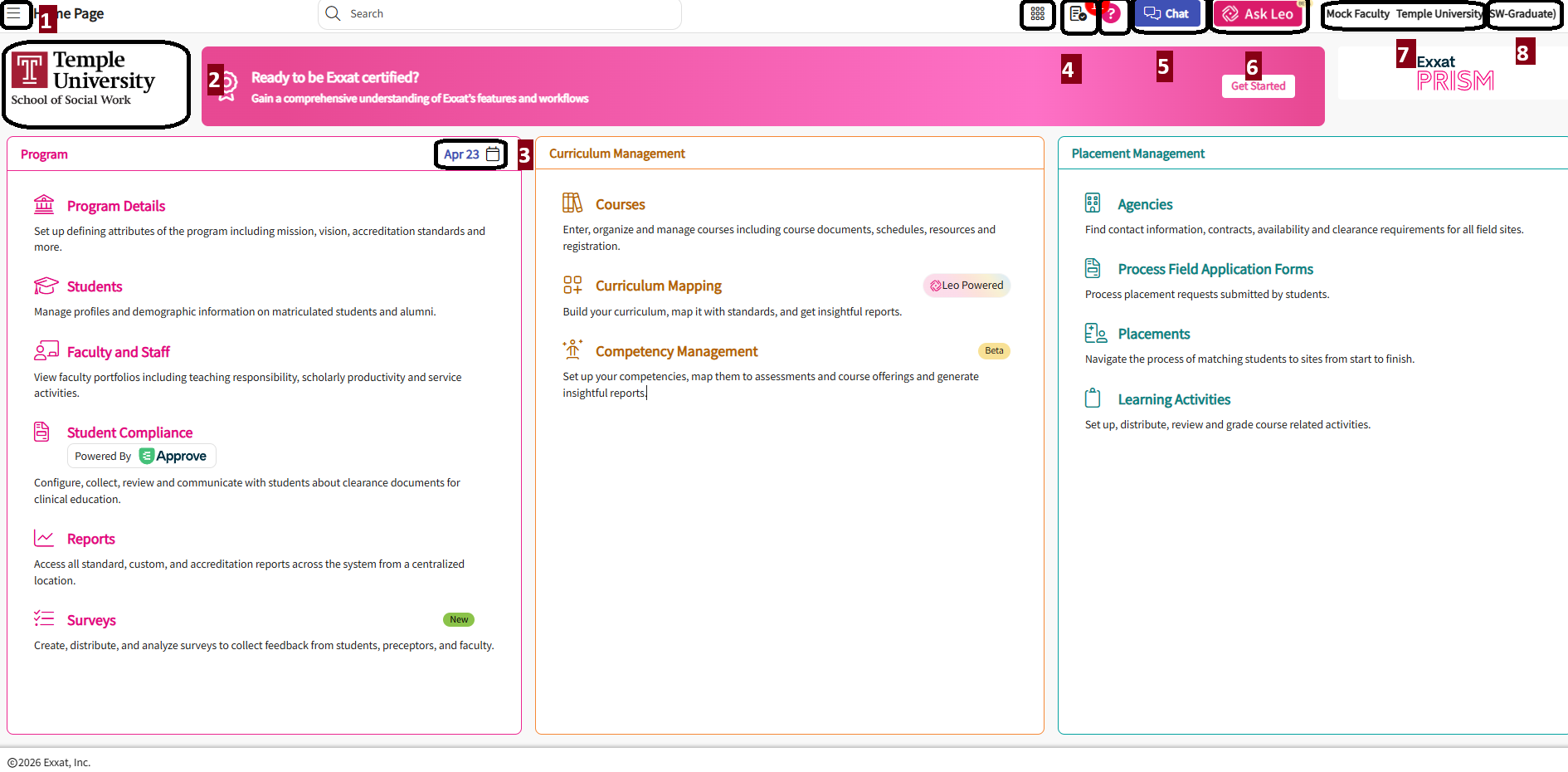
  1. Side menu - also called a "hamburger menu" in Exxat directions
  2. College image file - this image will be embedded in all emails sent from Exxat to students, preceptors, faculty, and sites.
  3. Calendar link (*new March 2026*) - clicking on the date posted will link to a calendar page. As of mid-2026 this is only viewable for admins/coordinators and not for other faculty or students. Rotation dates, course dates, key evaluation dates, contract expiration dates, and custom events can be stored