
MAXQDA Transcription
Automatically transcribe audio and video files in over 50 languages with our cutting-edge AI technology. MAXQDA Transcription, available both within MAXQDA and as a separate stand-alone online service, independent of a license. Eliminate the need for manual transcription, save time and focus on what actually matters—your data. Experience seamless, accurate, and efficient automatic transcription that enhances your research workflow and productivity.
Purchasing
Since this service is not included with the standard College of Public Health MAXQDA license, it needs to be purchased by the department using the department credit card. Transcription service is purchase in hourly intervals, with a discount on multiple purchased hours. Once purchased, the purchaser will receive a redemption code that can be redeemed by a single MAXQDA account (see the Redemption section below)
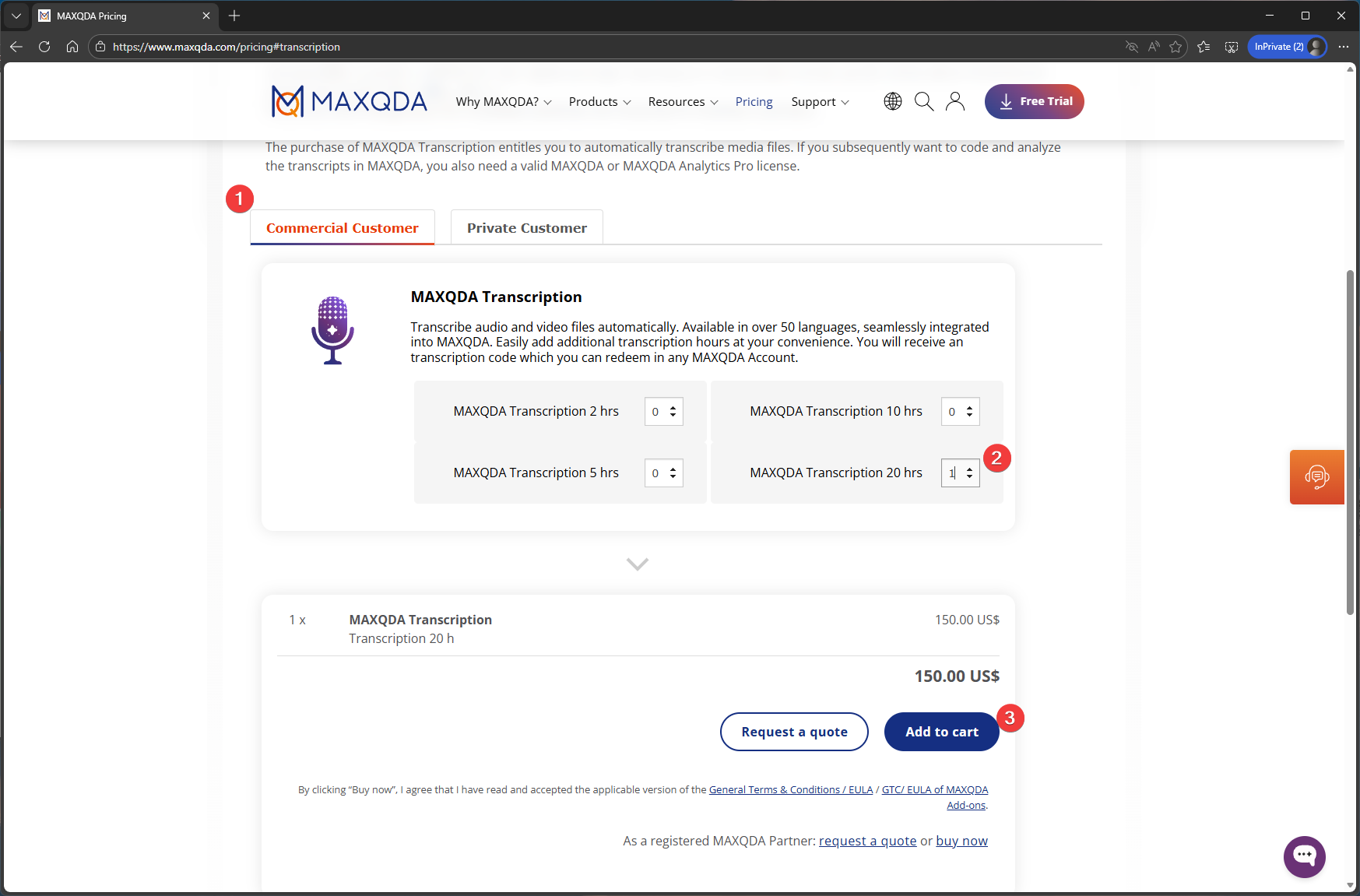
Current pricing and order page can be found here (MAXQDA Pricing)
|
1. Within the pricing page:
|
 |
|
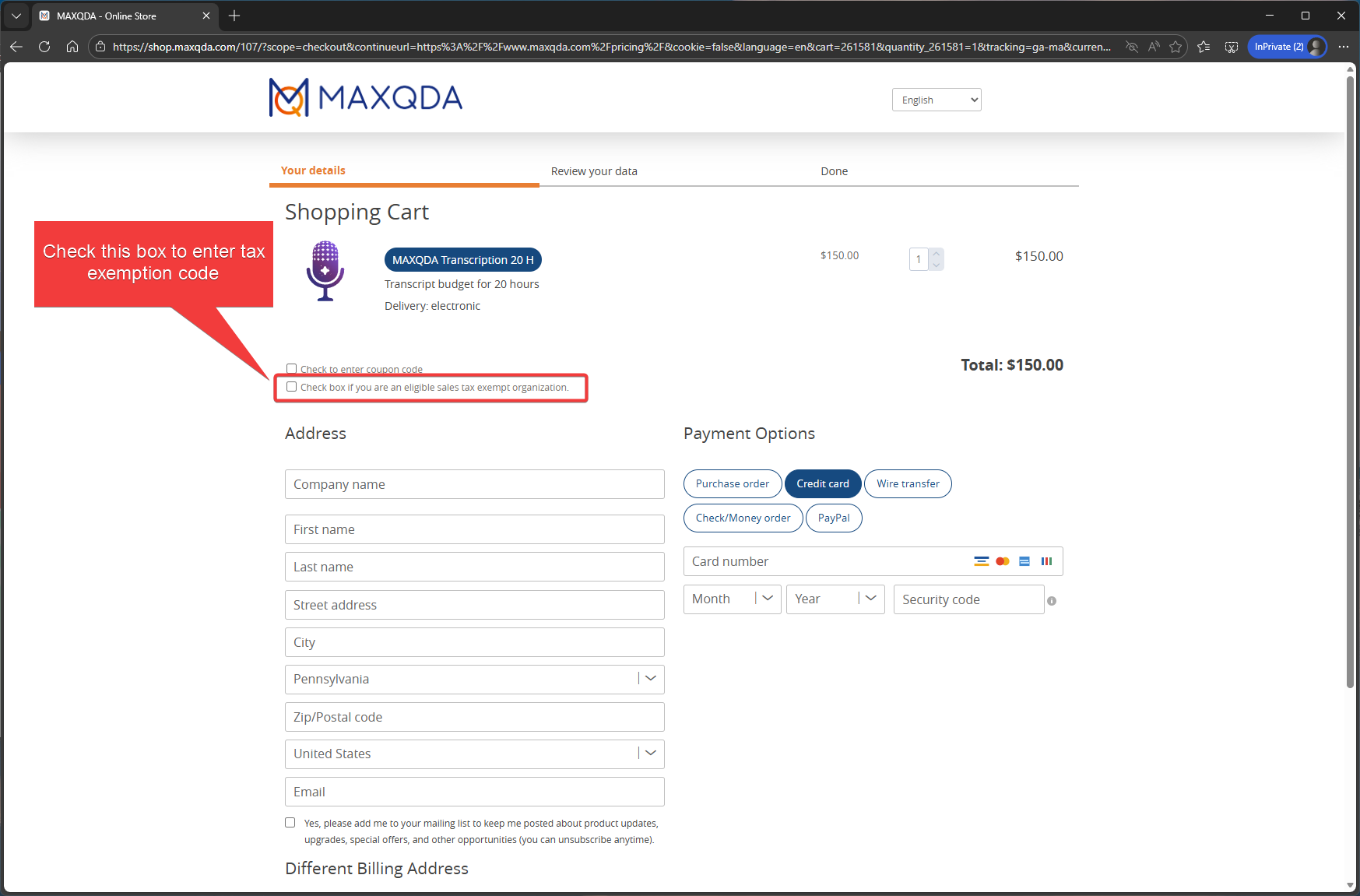
2. Check the box following box for tax exemption:
Check the box if you are an eligible sales tax exemption organization.
|
 |
|
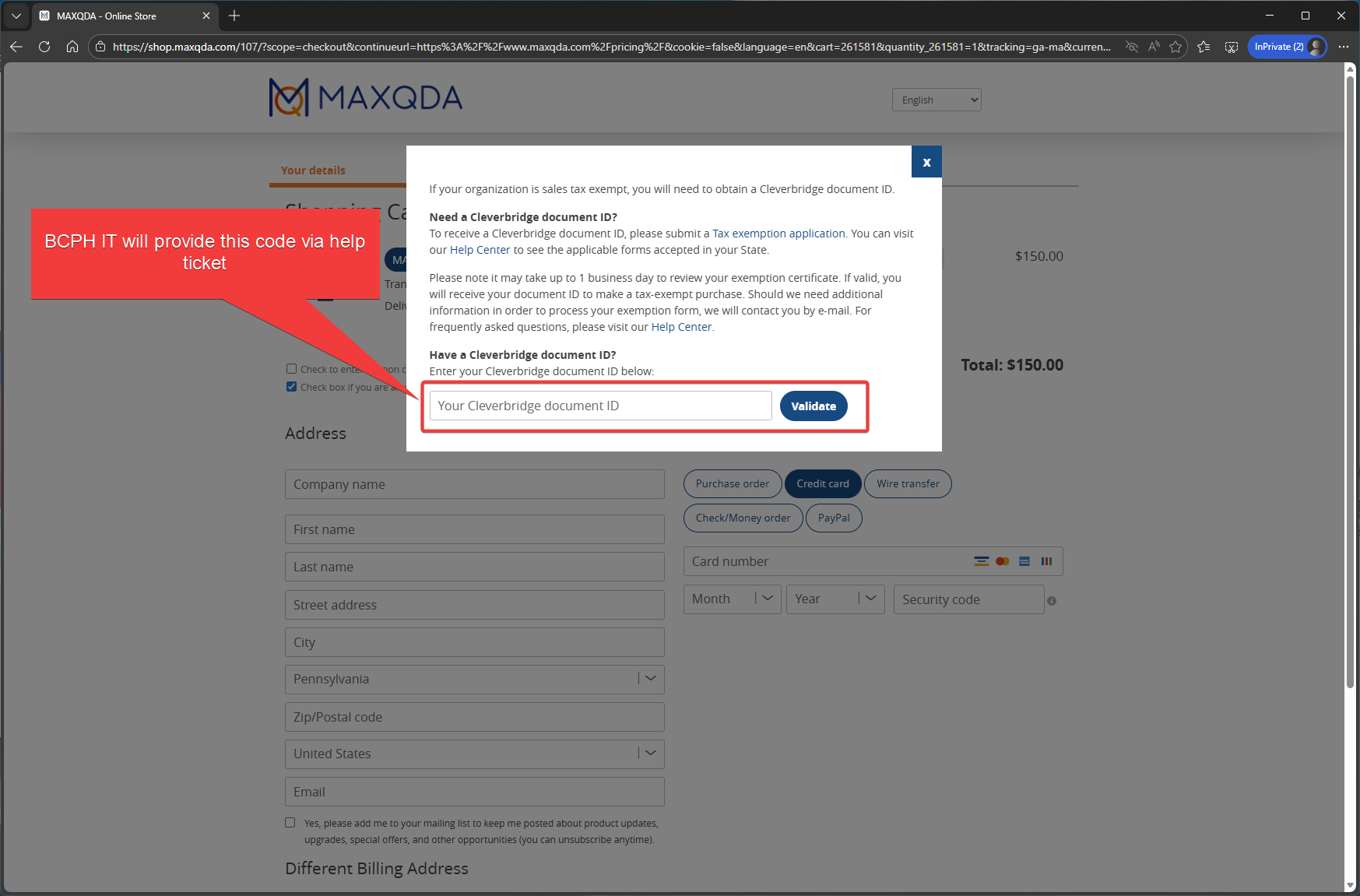
3. Enter Cleverbridge document ID.
This is provided by CPH IT. Please submit a request at cphhelp@temple.edu for this ID |
 |
|
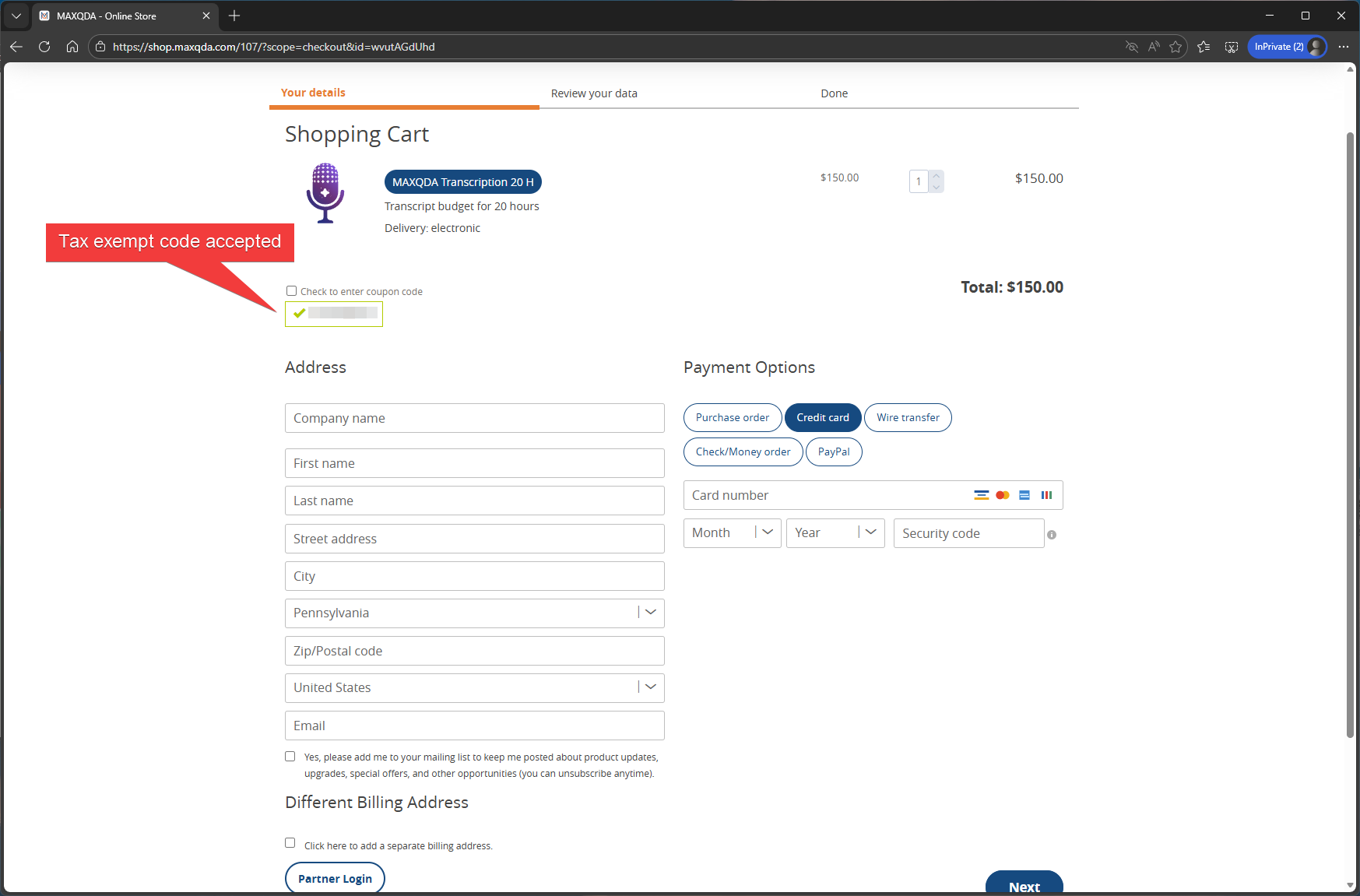
4. Once the ID has been accepted, fill out the rest of the page with your department credit card information and proceed to purchase as a normal purchase |
 |
|
5. You will receive an email with the redemption code.
|
Redemption
REQUIREMENT: you must have a MAXQDA account. Sign up for one here (https://account.maxqda.com/register)
| 1. Sign in to MAXQDA account (MAXQDA Account). | 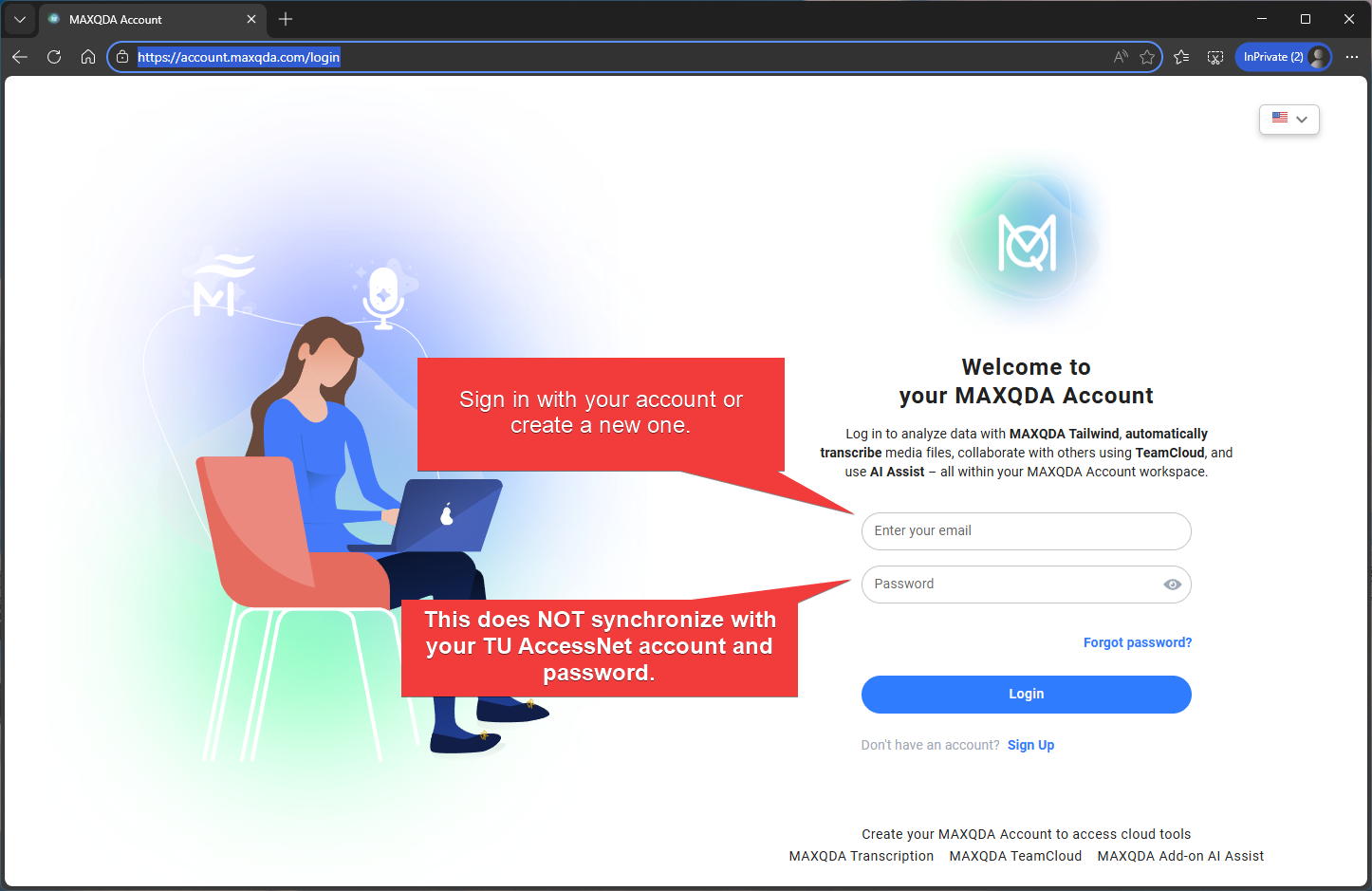 |
|
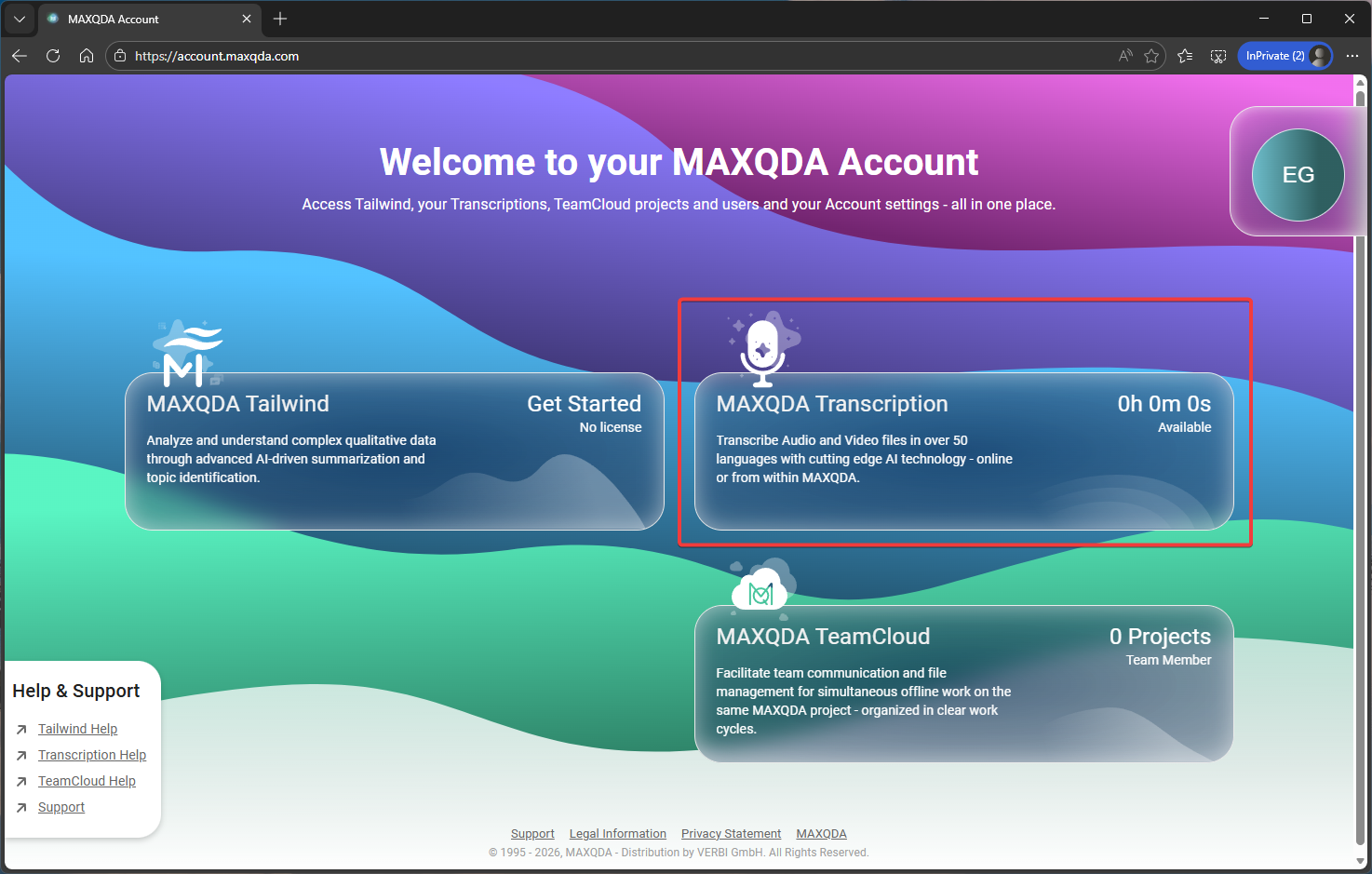
2. Select MAXQDA Transcription.
|
 |
|
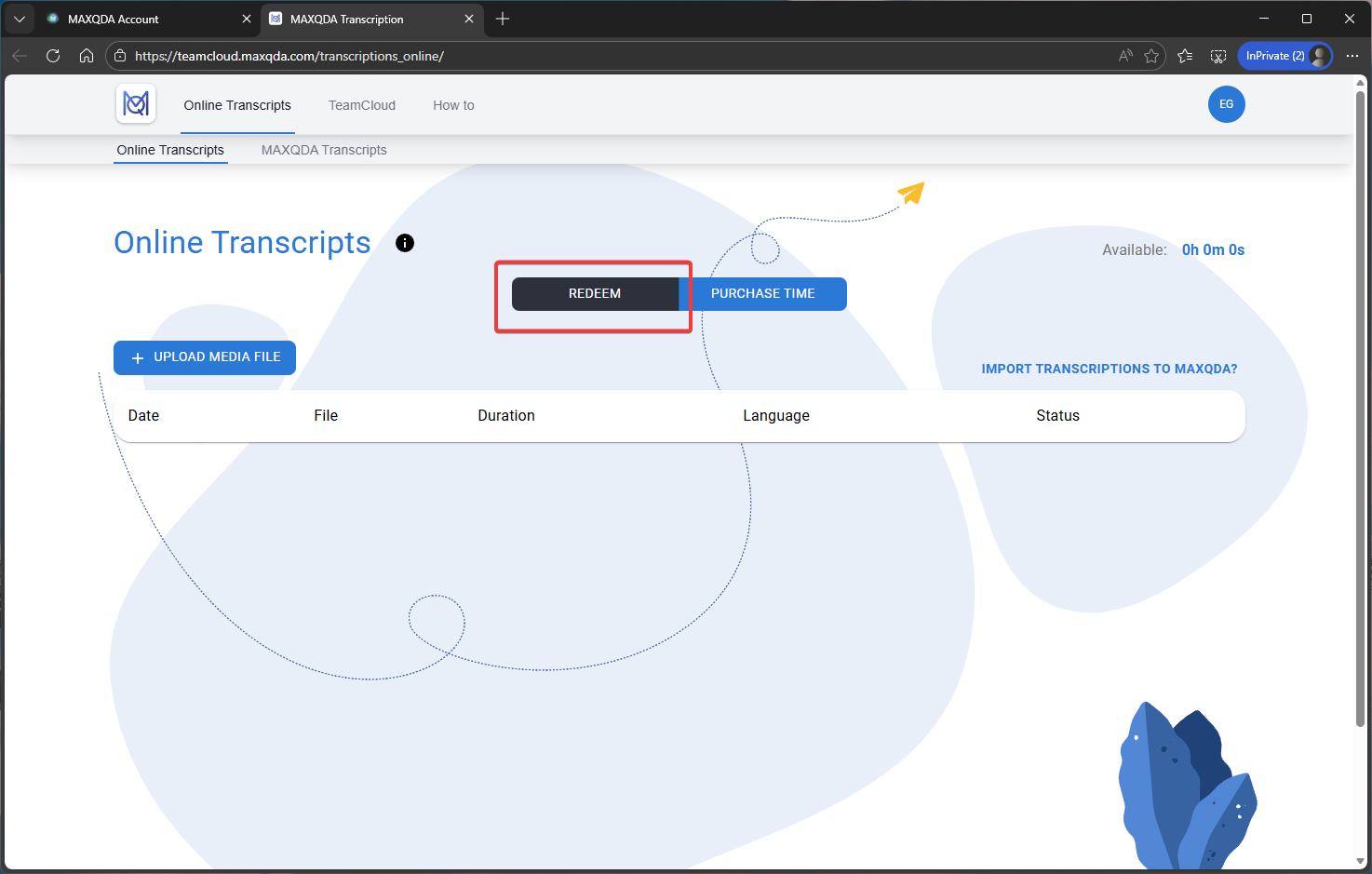
3. Click the REDEEM button.
|
 |
|
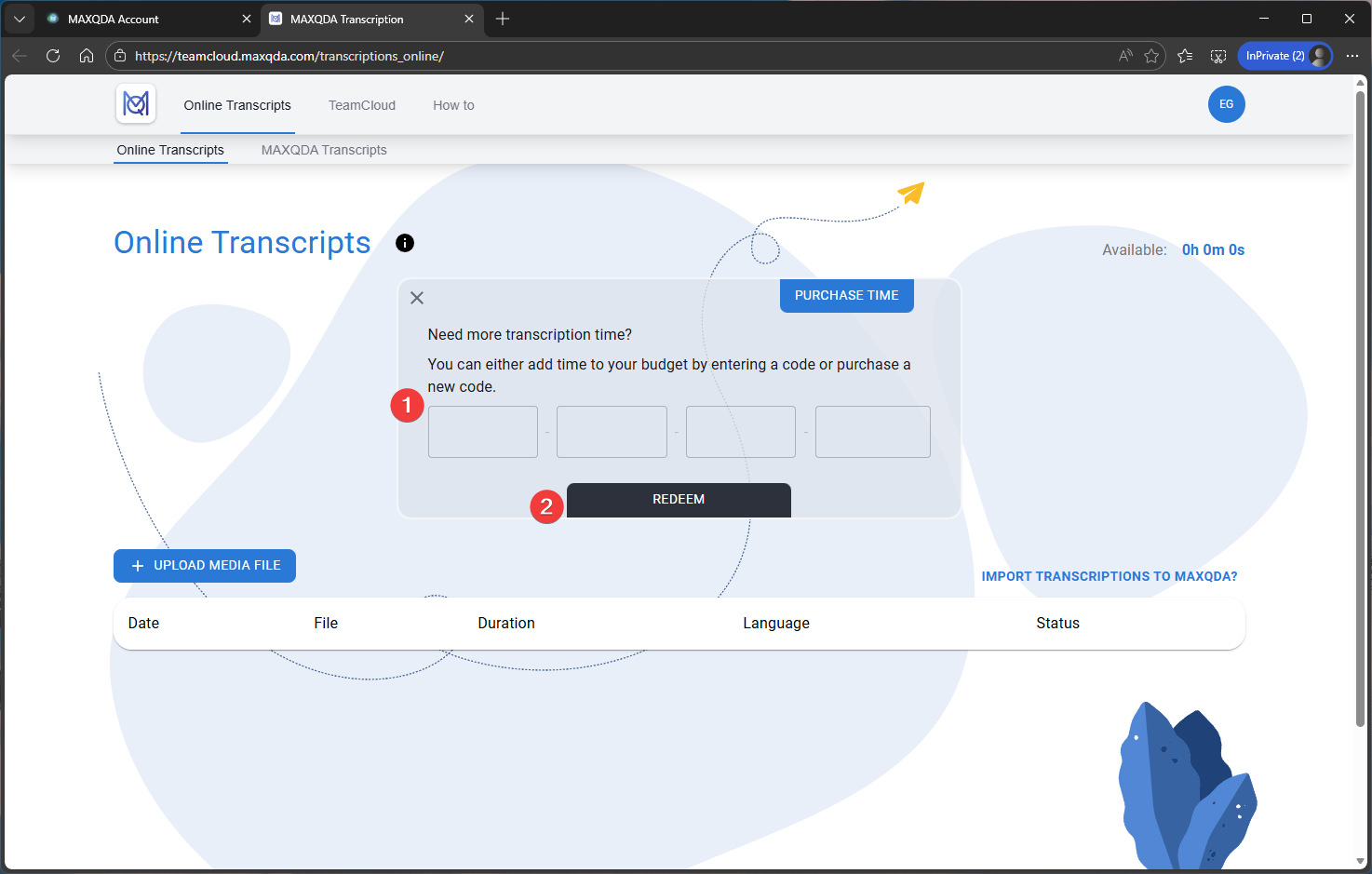
4. On the window that appears:
|
 |