
Sharing Your Screen or Application
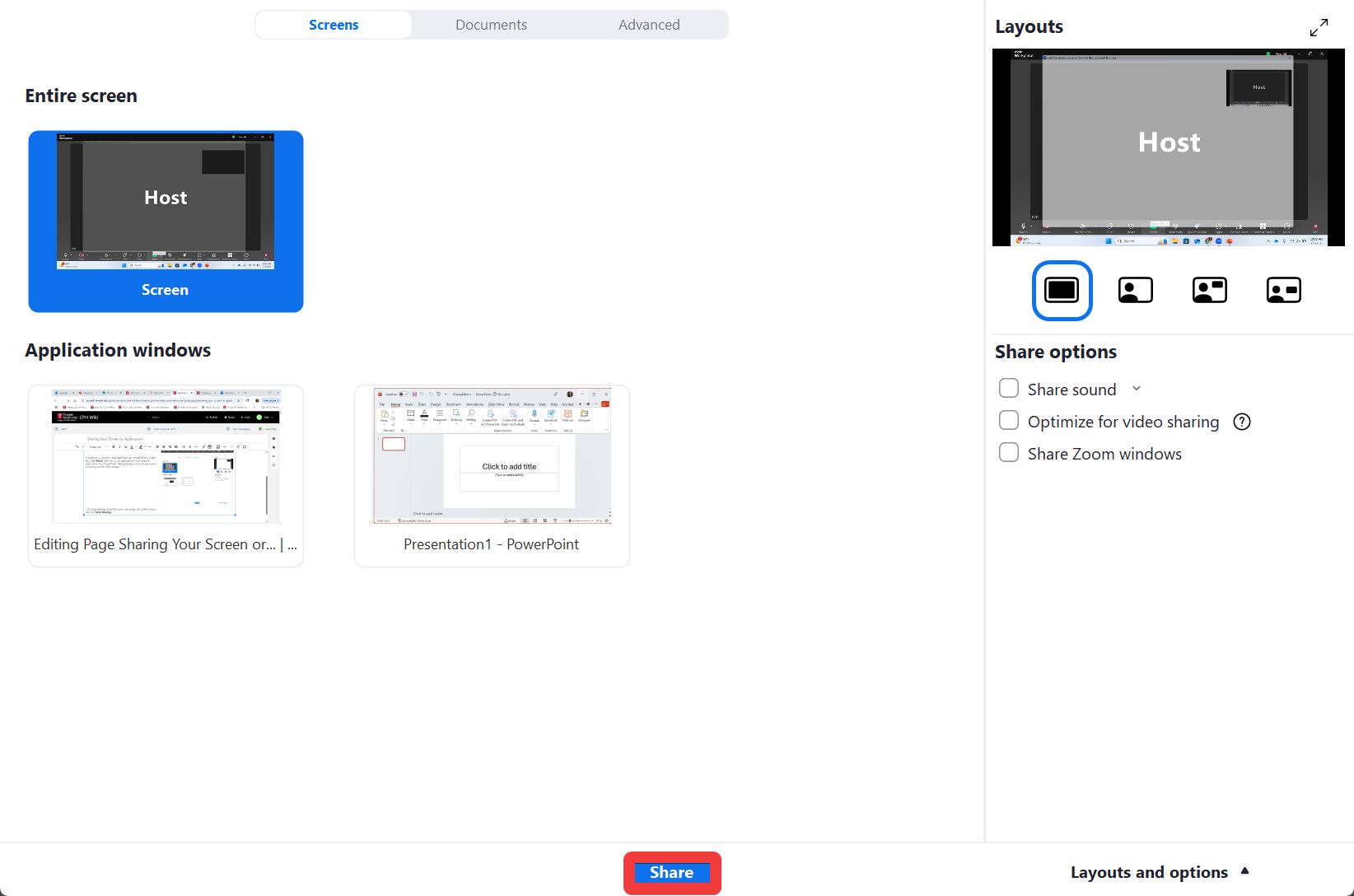
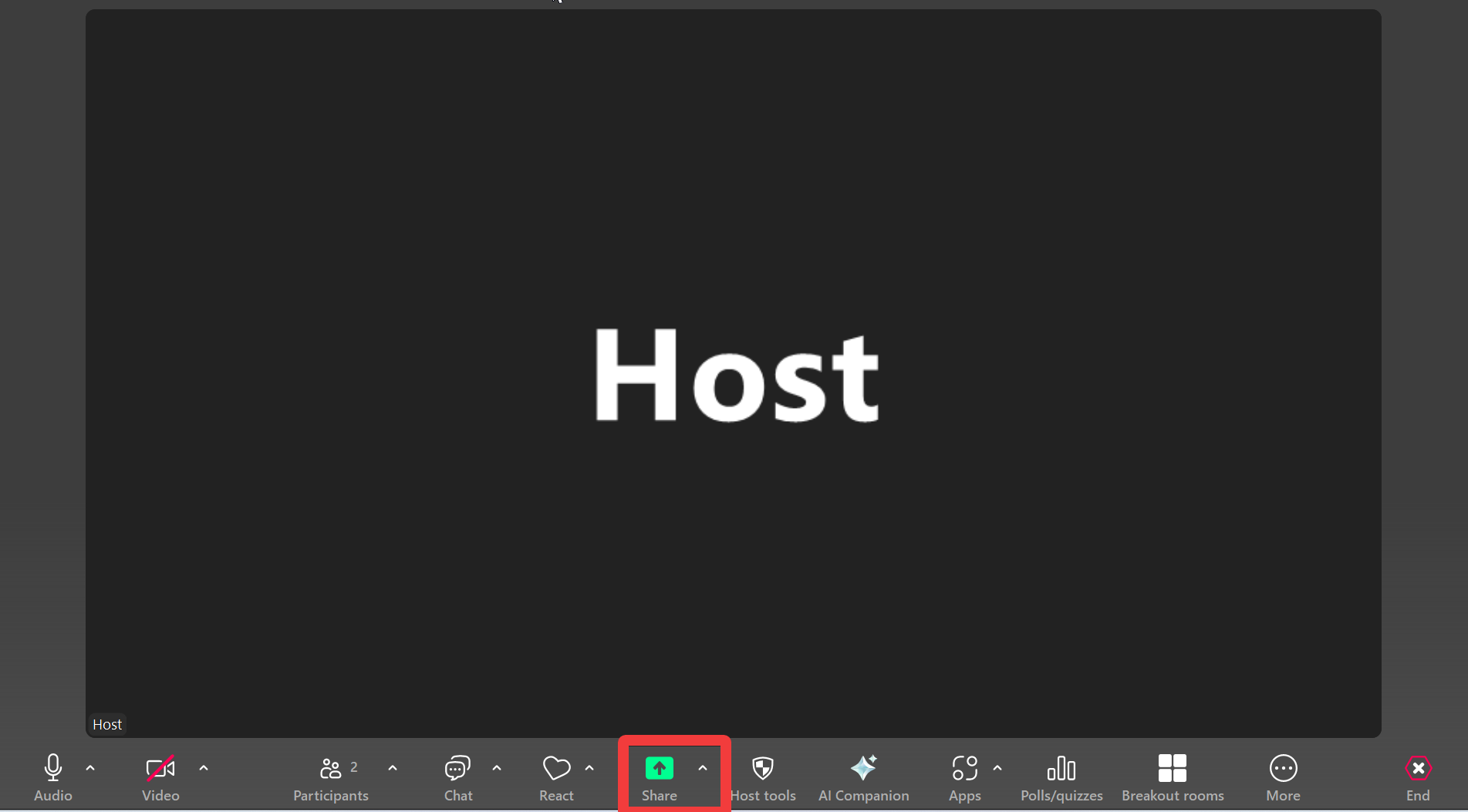 2. Select your screen or the application you would like to share and click Share. Note: if you are planning to share a specific application (i.e., PowerPoint), that application must be open prior to clicking on the Share button.
 3. To stop sharing, hover the cursor along the top of the screen, and click Stop Sharing
