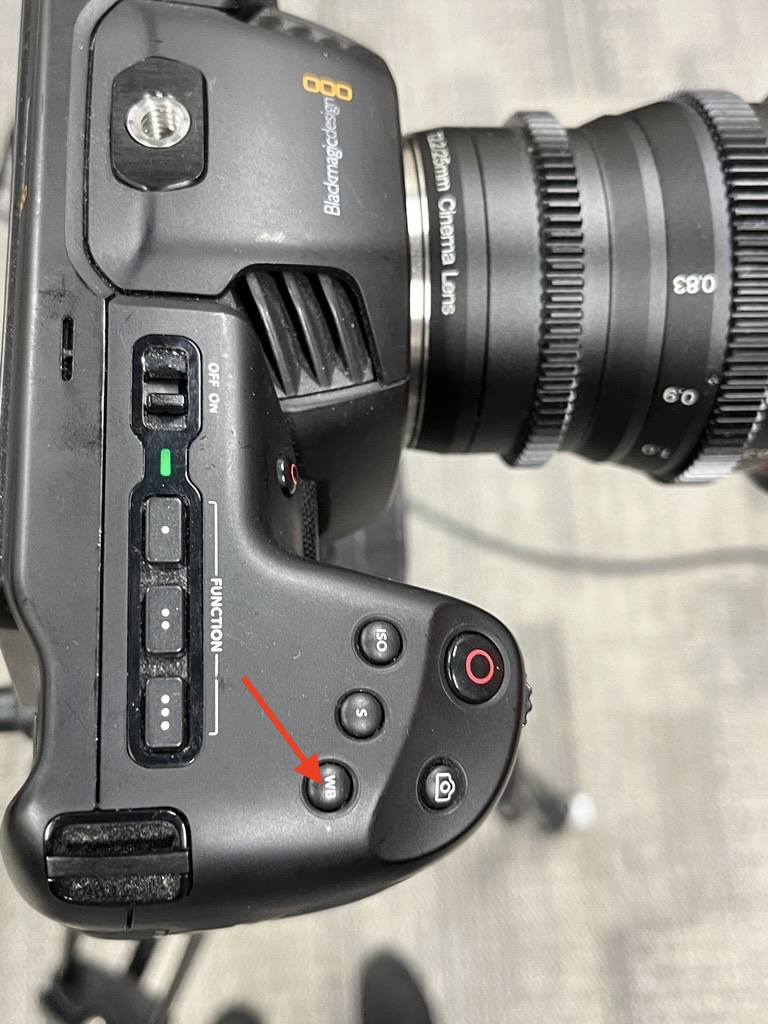
Resetting White Balance
Occasionally, you may need to reset the white balance (if it looks there is an orange tint). Follow the steps below to reset the white balance:
- Use the white box found inside the cabinet and hold it in front of the camera lens (far enough so that there isn't a shadow).
- Press the WB button on top of the
cameracamera.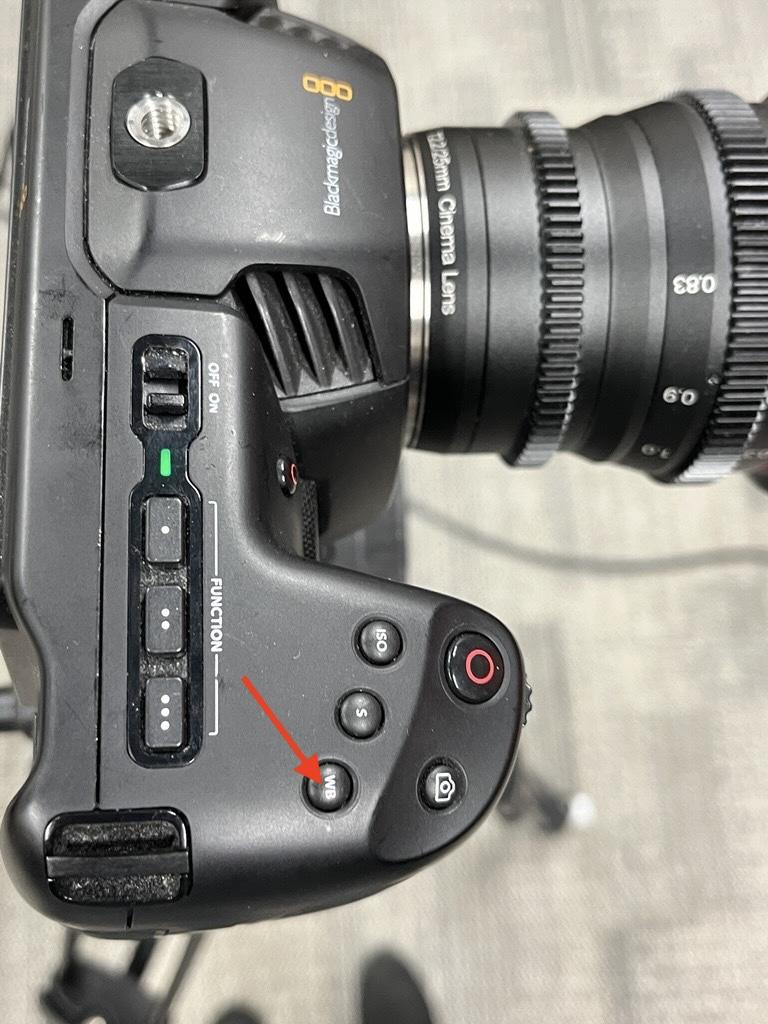
- While holding the white box in front of the camera, press the AWB button on the camera screen and press Update White Balance on the camera screen.
- Run a test recording and make any adjustments as needed. Press the WB button again and use the arrows to make it warmer or cooler.
I've found it looked best when WB was set to 4200K and Tint 19.