
Secure Printing
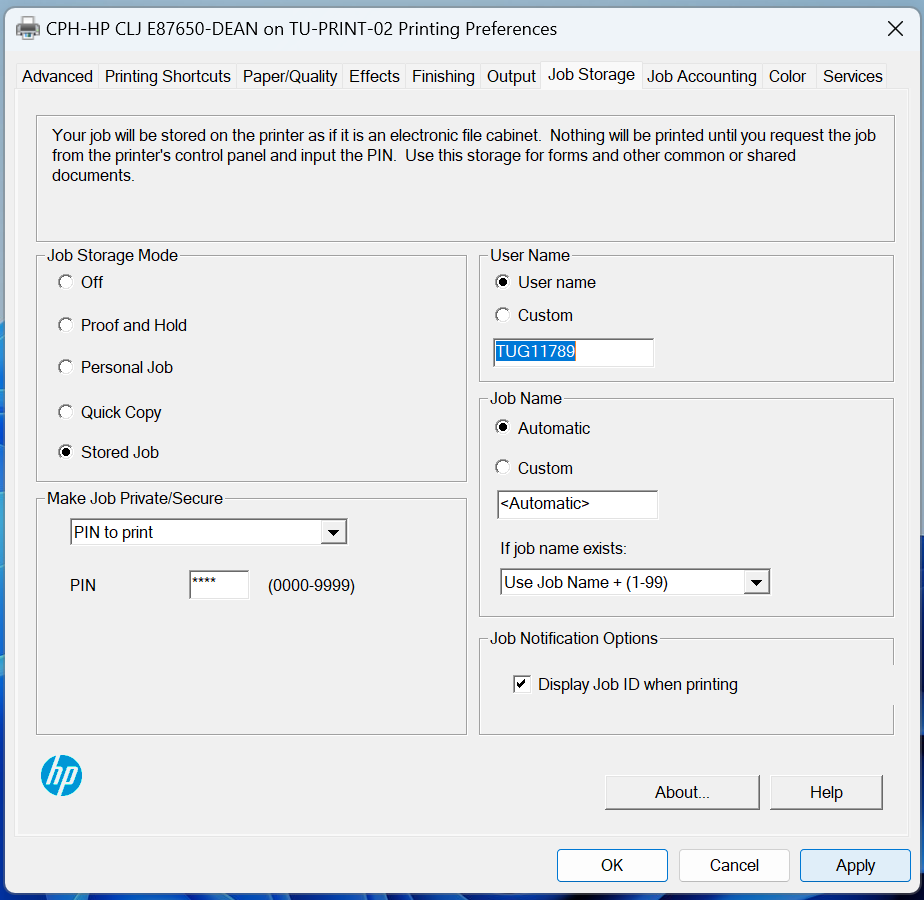
Job Storage: This feature allows for your print jobs to be stored on the printer as if it is an electronic file cabinet. Nothing will be printed until you request the job from the printer's control panel and input the PIN. Use this storage for forms and other common or shared documents.
Please note that this function will have to be set for each printer you wish to print from. Each printer saves it's own printer preferences.
Follow the guide below on how to enable this feature:

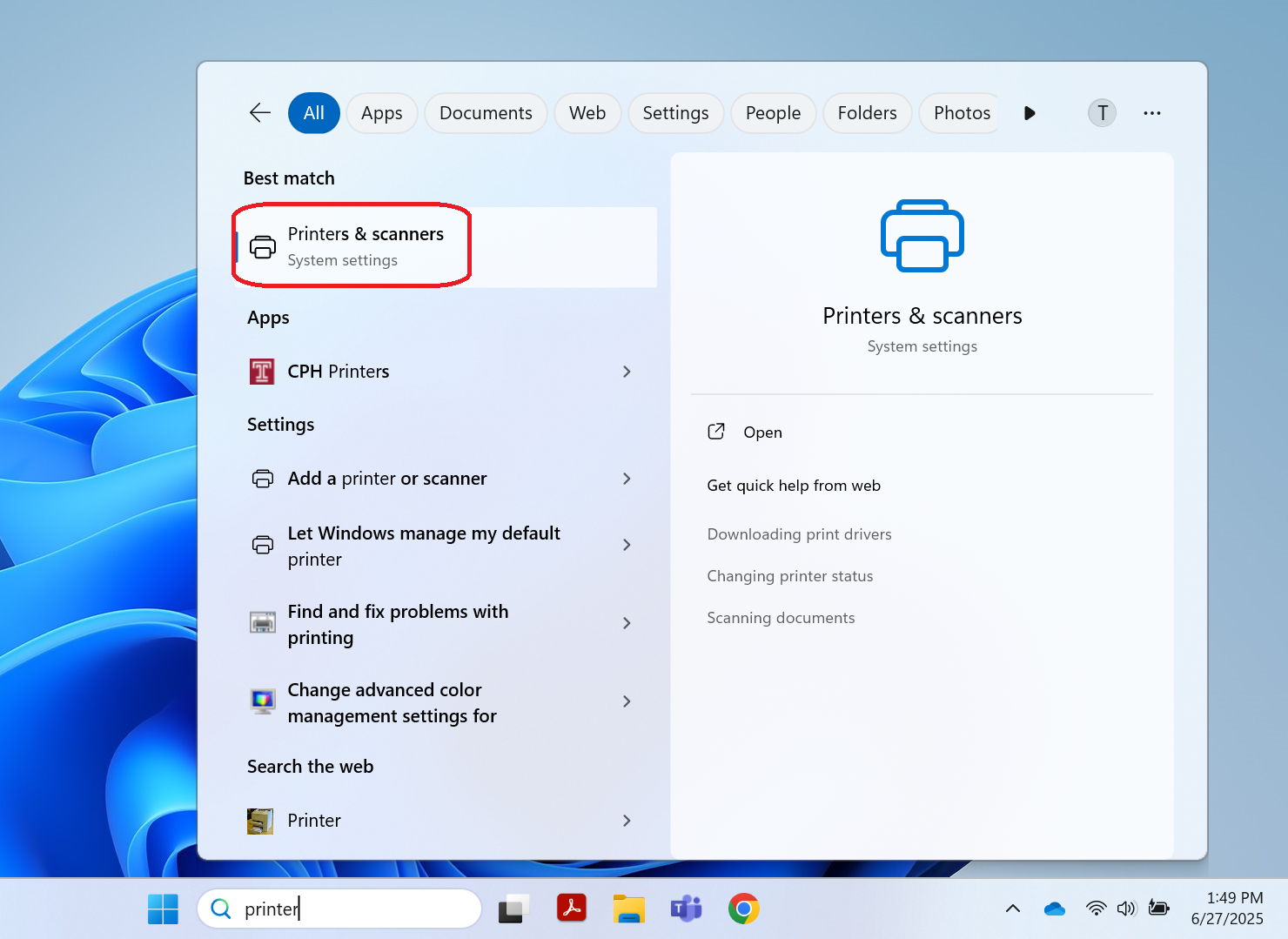
2. Click Printer & Scanners.
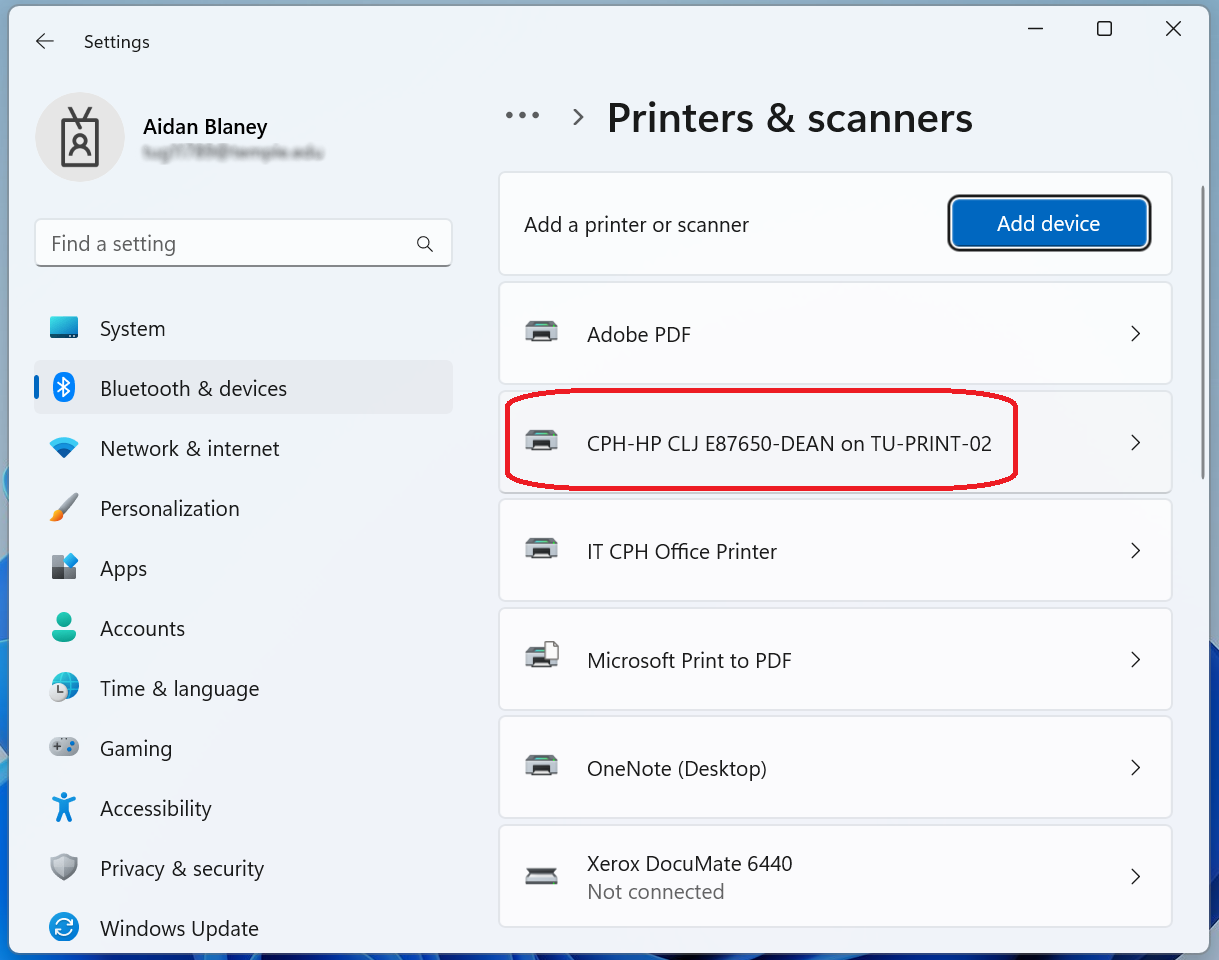
 3. Click the name of shared office printer.
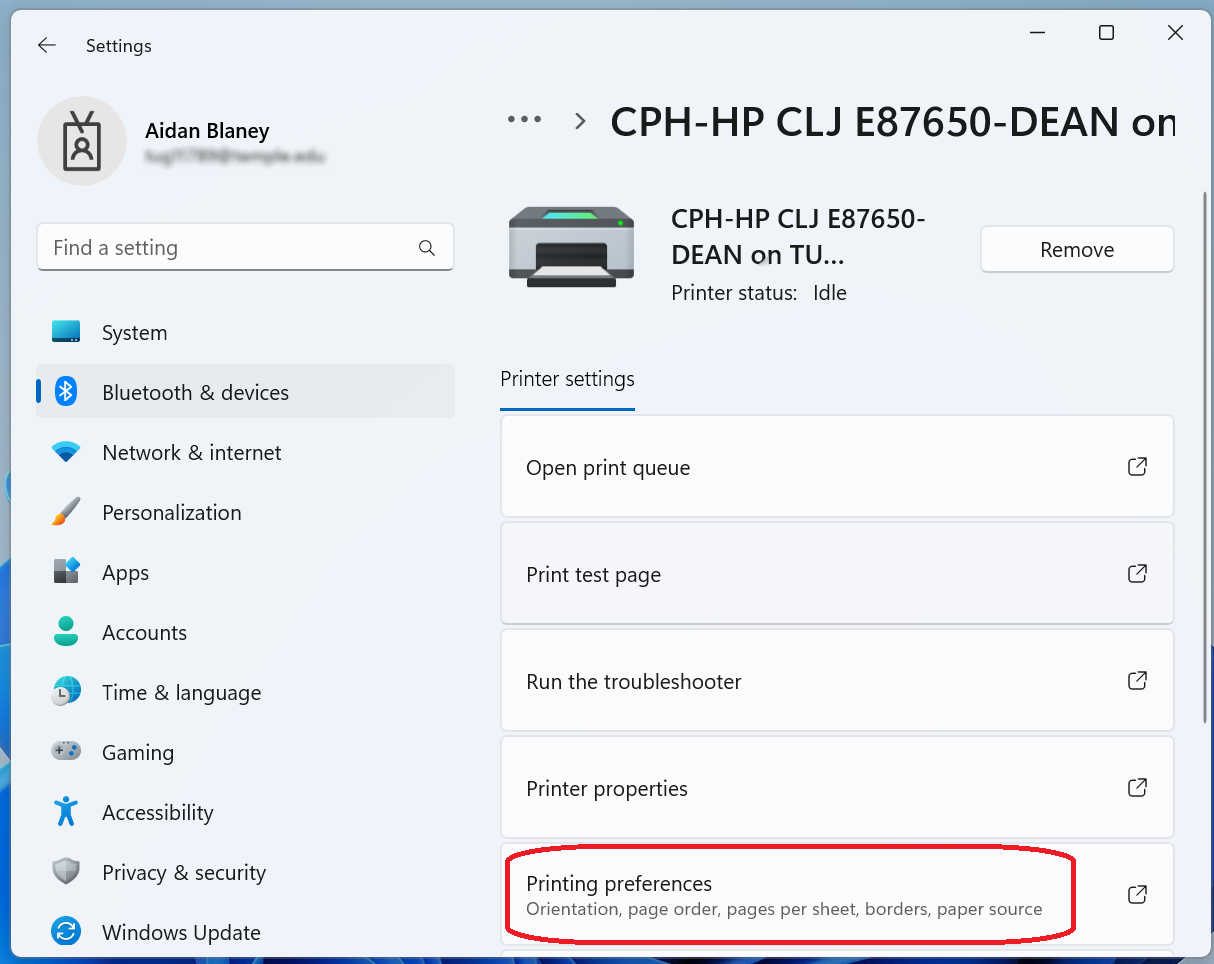
 4. Click Printing preferences.
 5. Click the Job Storage tab.
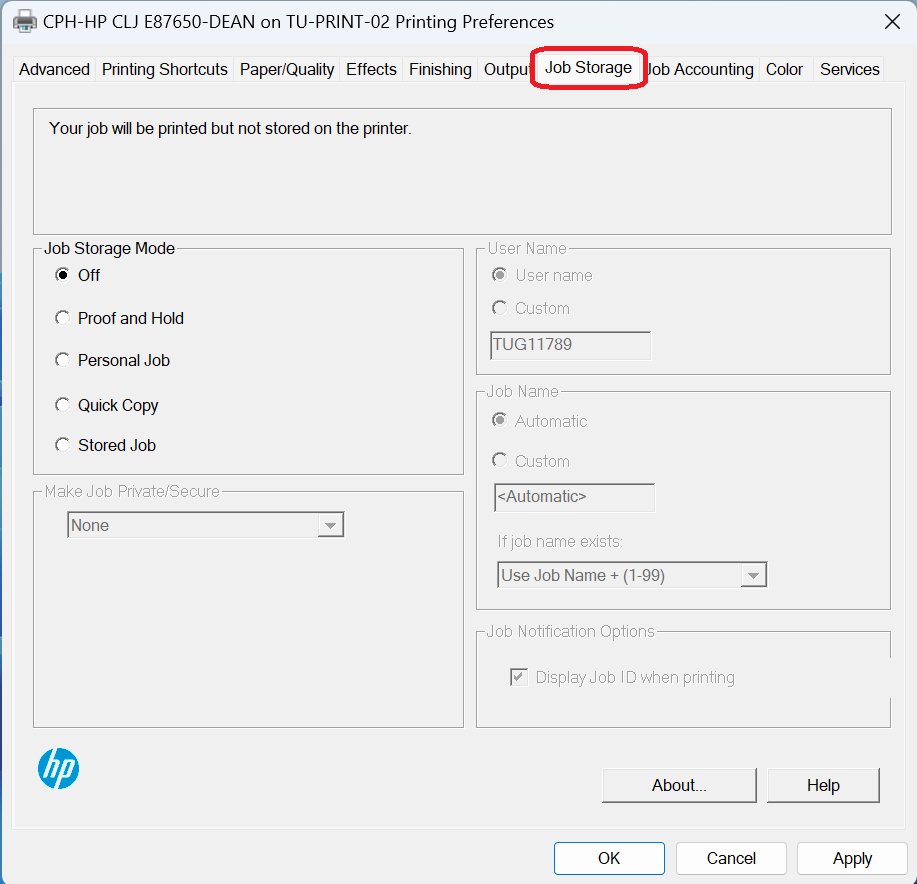 6. Select Stored Job under Job Storage Mode.
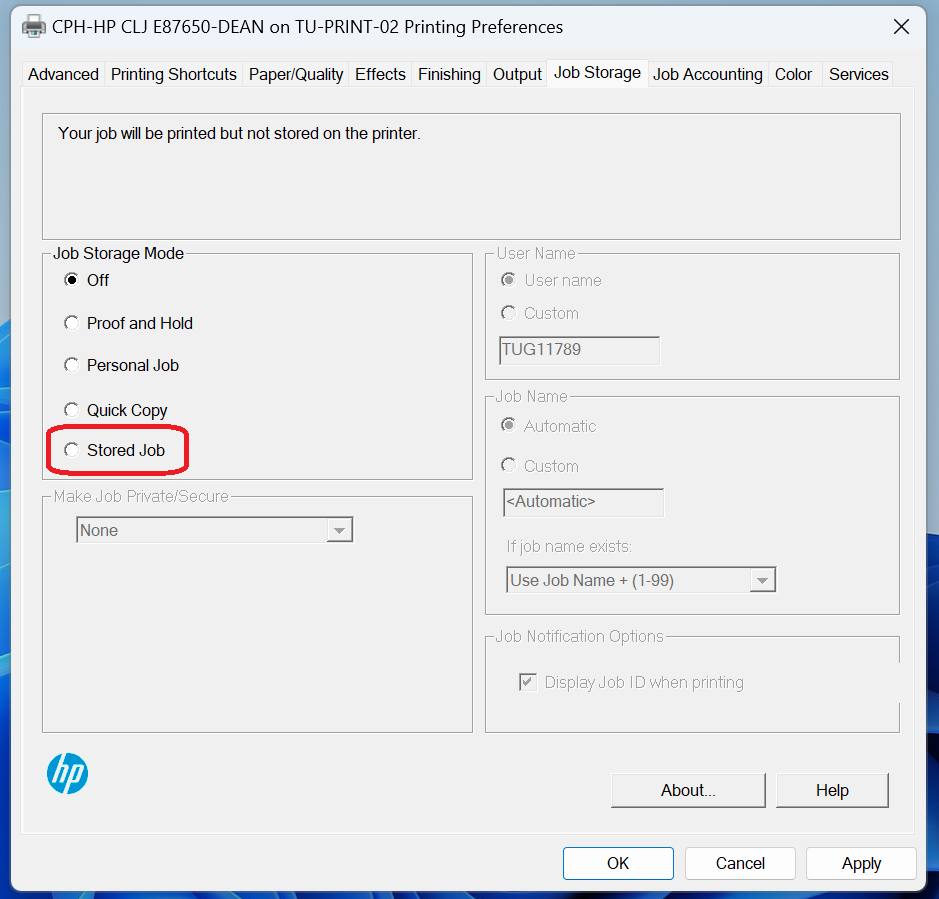 7. Select from the dropdown menu in Make Job Private/Secure.
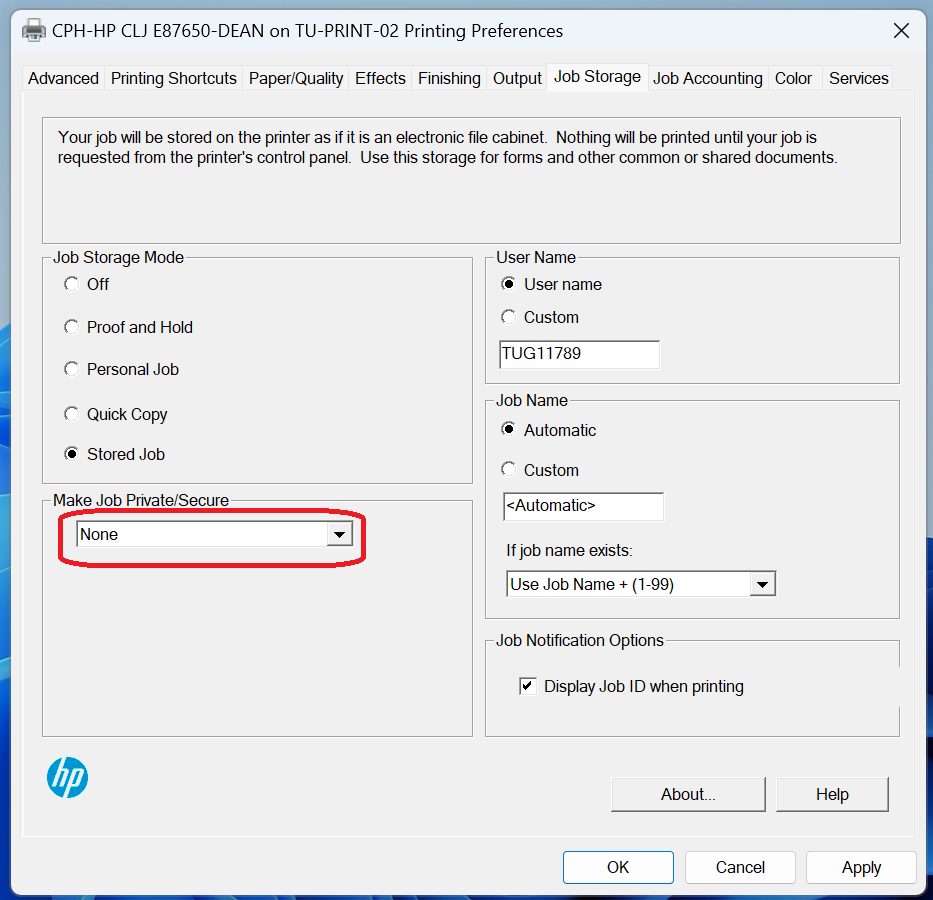
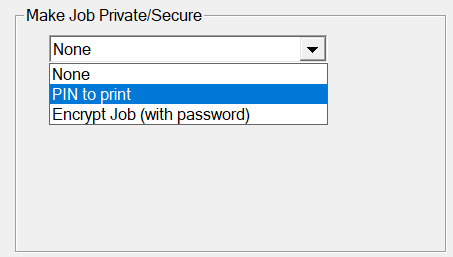
9. Select PIN to print.
Add a pin that is easy to remember.
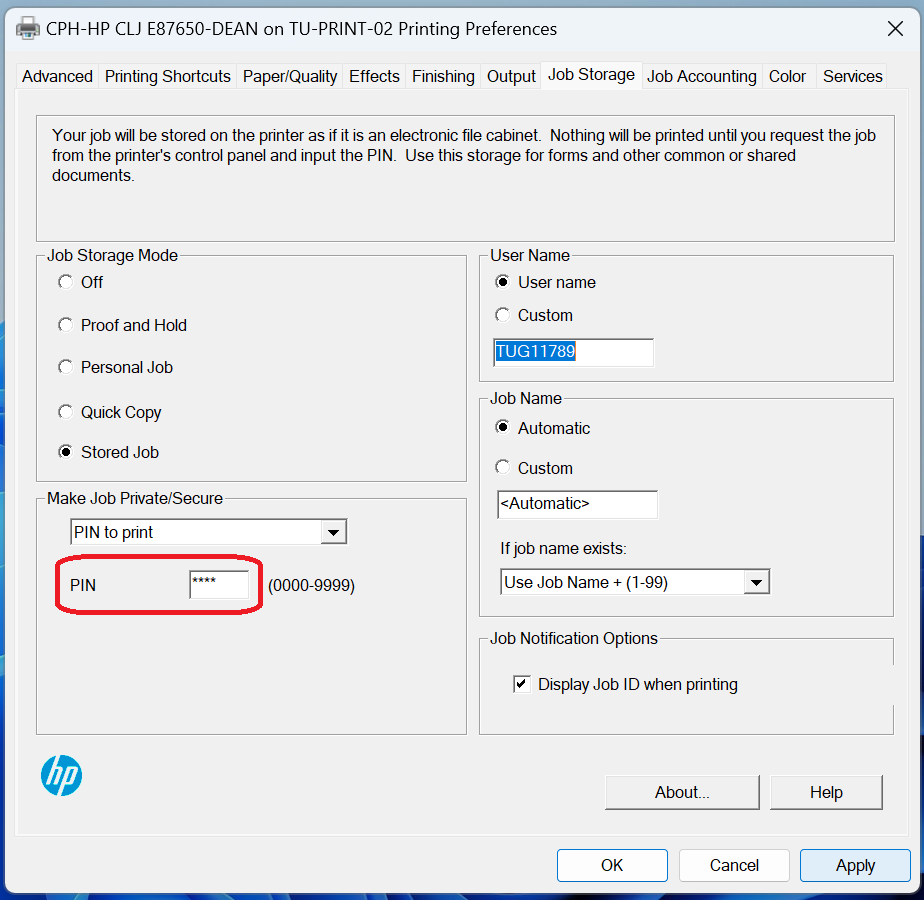
10. Under the User Name, verify it is the name you want. This name will be used for the folder created on the printer.
If you wish to change the name, select Custom and add the name you would like.
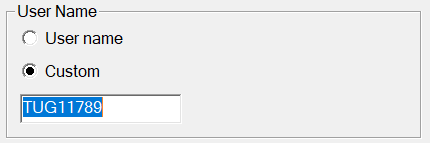 11. Click Apply, then OK.
After printing the file you want from your device:
| 1. Go to the shared office printer in your department’s common area. | |
| 2. Press on the printer monitor and select Print. | 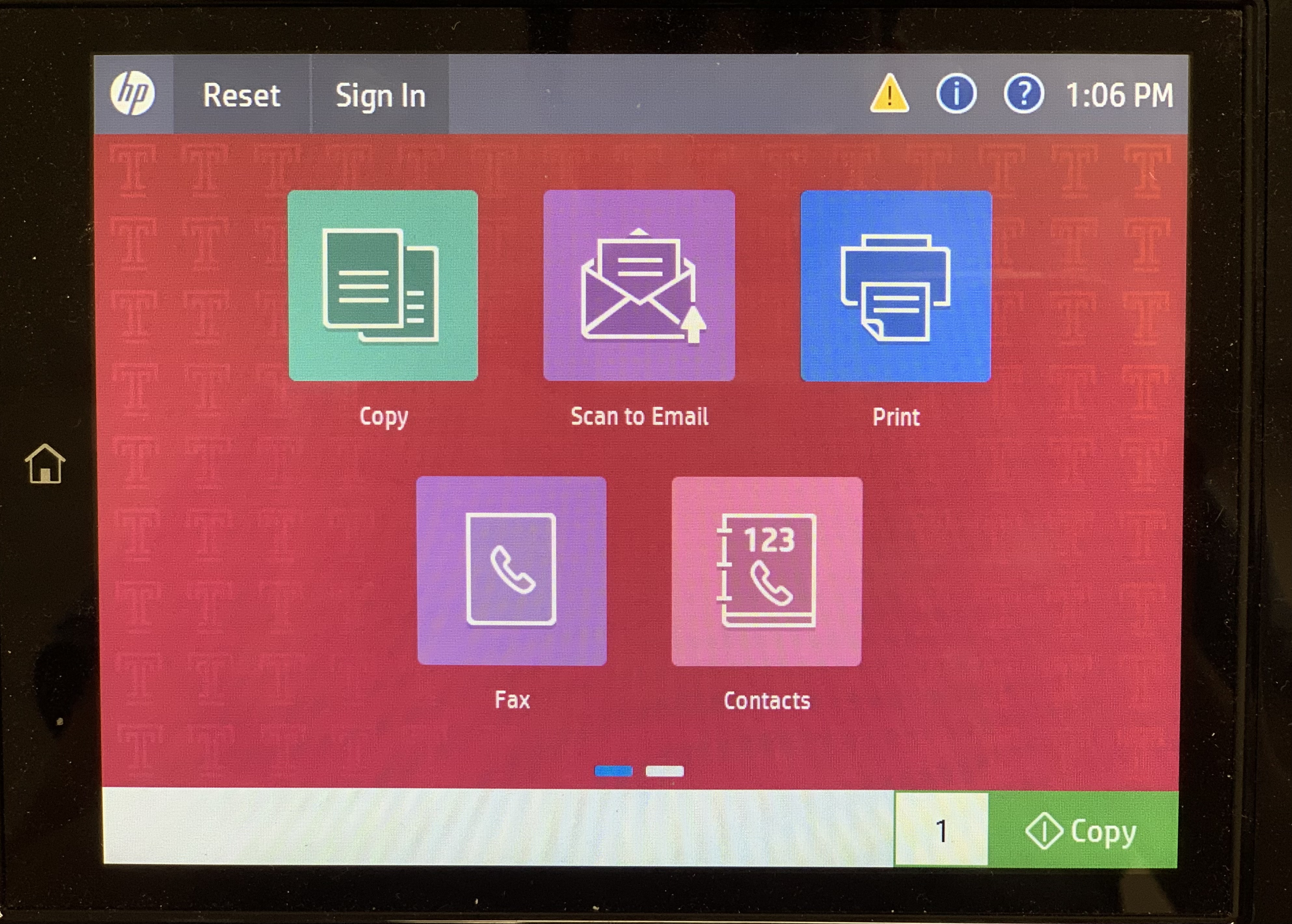 |
|
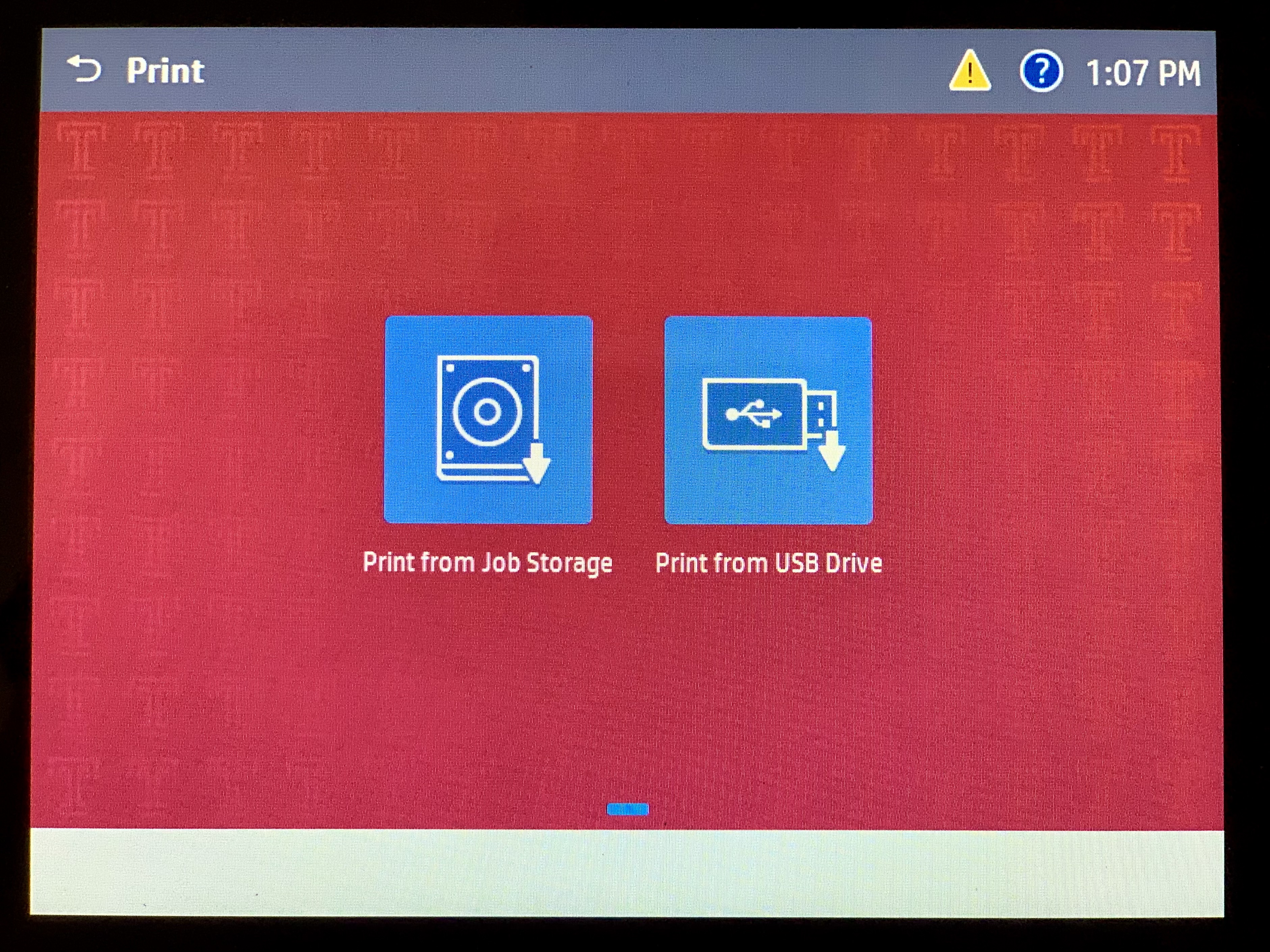
3. Press Print from Job Storage.
|
 |
|
4. Press the folder icon with your designated name or accessnet name.
This was set when you set up the stored print job function.
|
 |
| 5. Press Unlock Print Jobs. |  |
| 5. Enter the password you set when setting up the job storage within the print settings. | 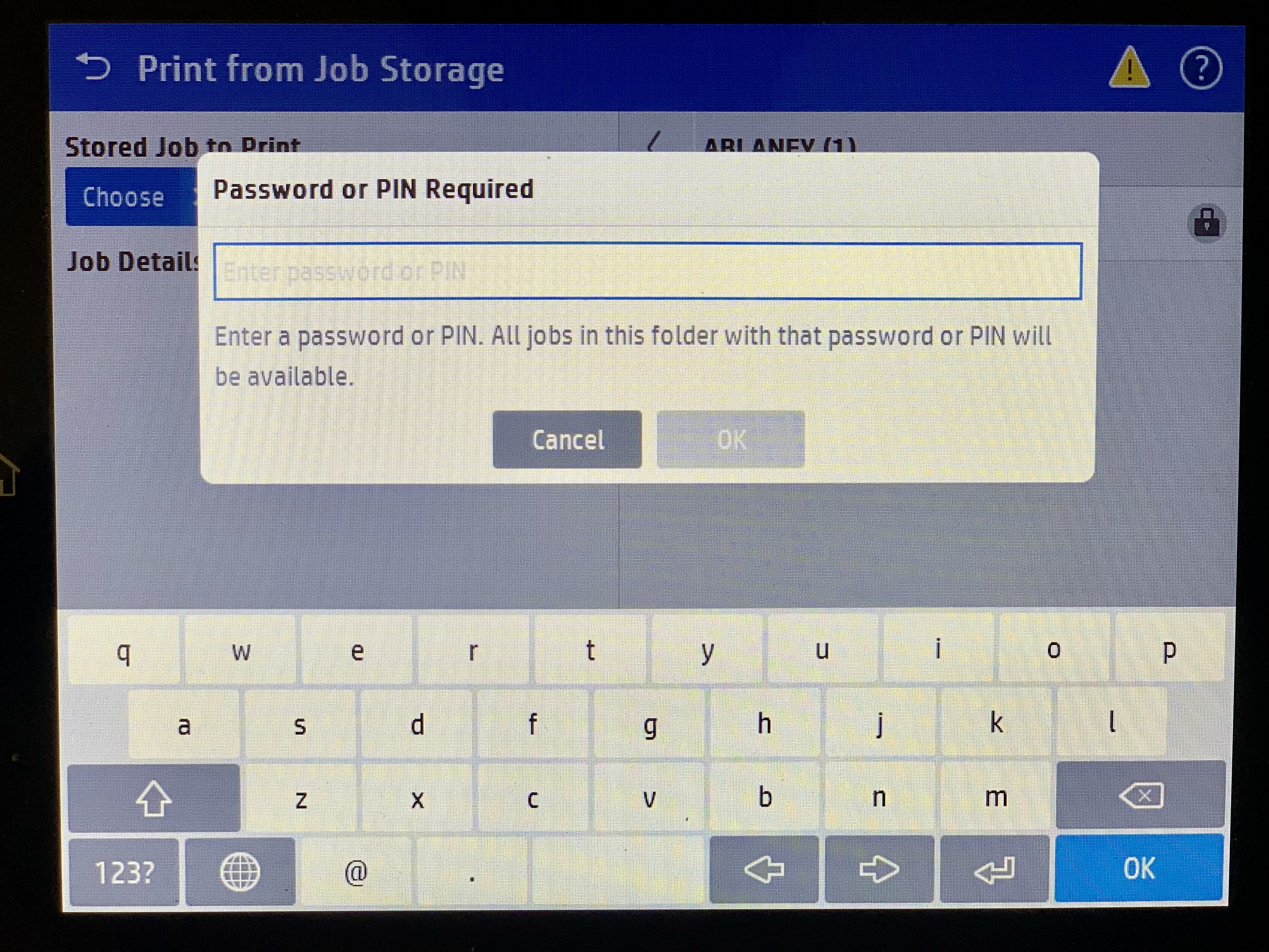 |
| 6. Press OK. |  |
| 7. Press the checkbox next to the print job you want to print. |  |
| 8. Press the green Print button. |
 |
|
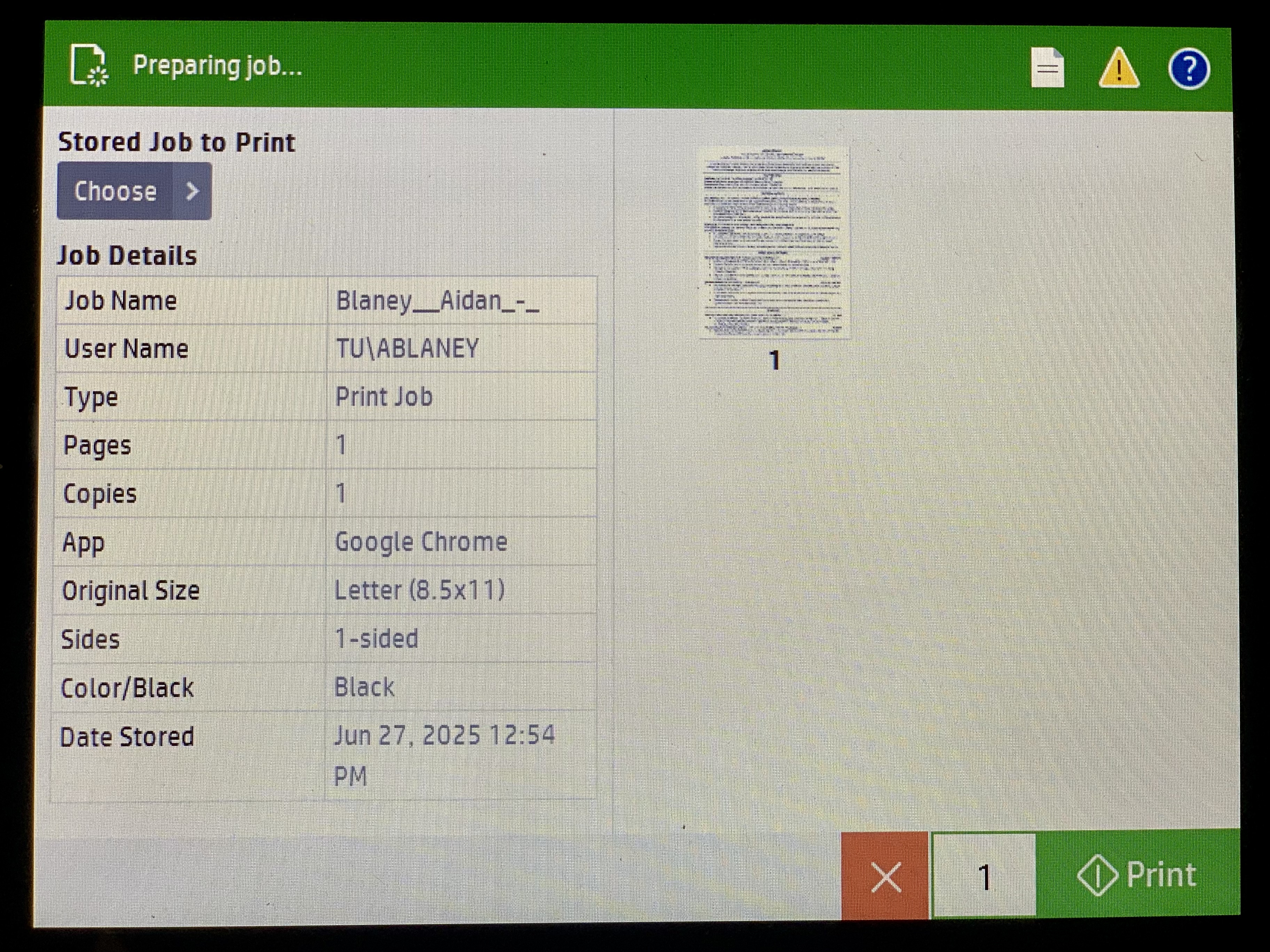
9. The boarder will turn green and your job will now print.
If you wish to print more than one copy, press the 1 next to the green print button to add more copies. |
 |