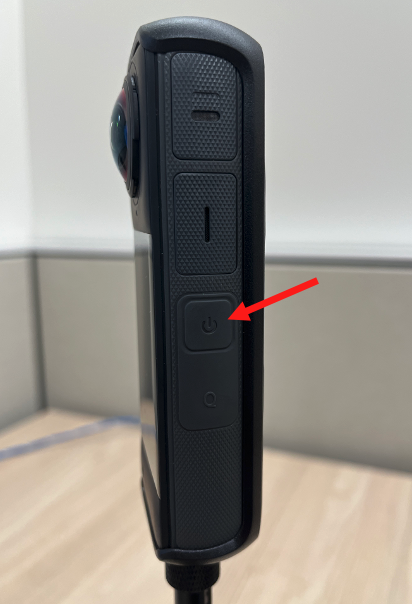
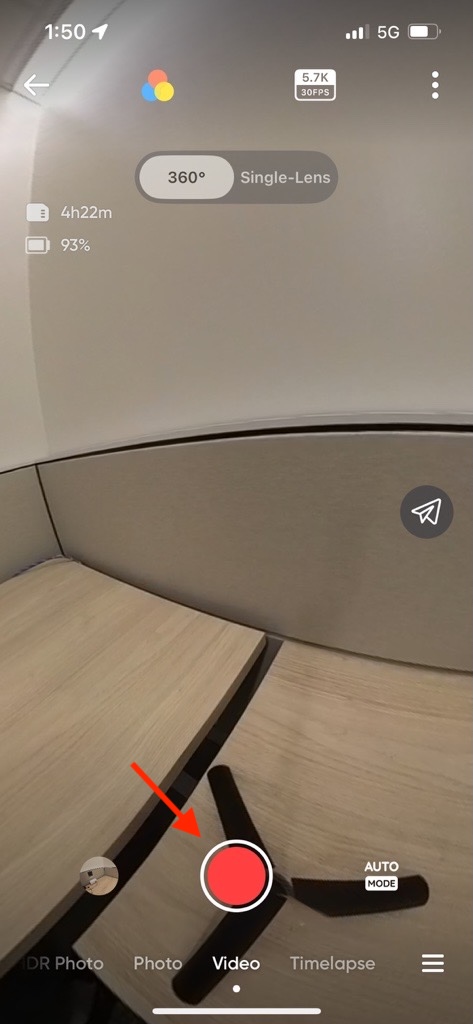
| 1. Turn on the camera by pressing the side power button |
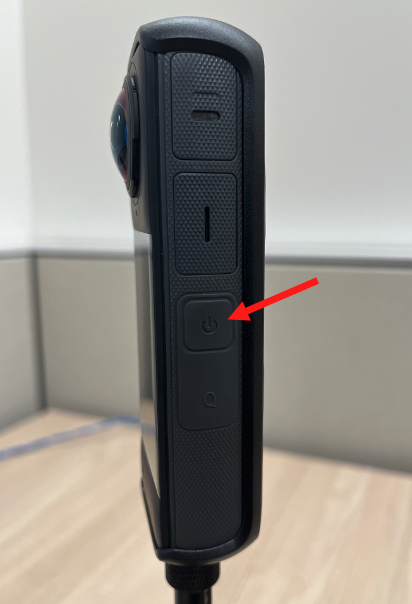
|
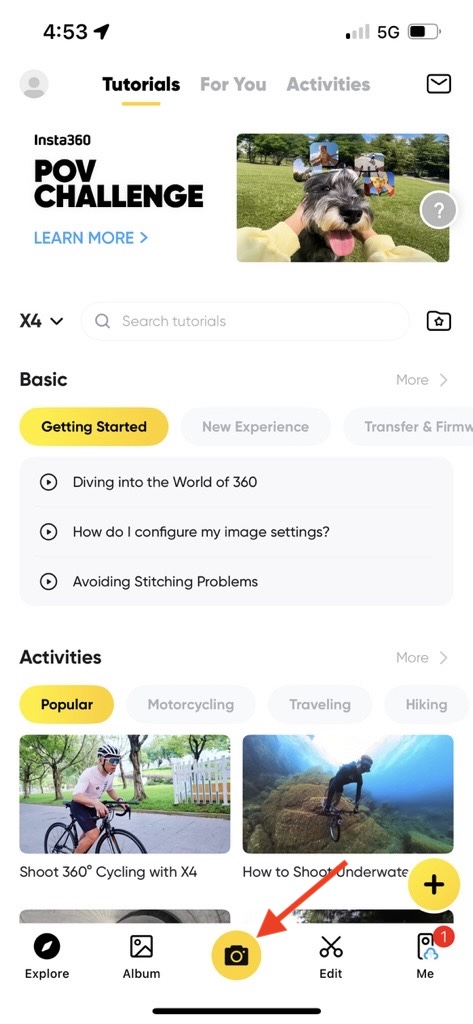
| 2. Open Insta360 App on your phone |

|
3. Press the yellow camera button .at the bottom of the screen. You may be prompted to reconnect to the camera again- follow the prompts to do so. |
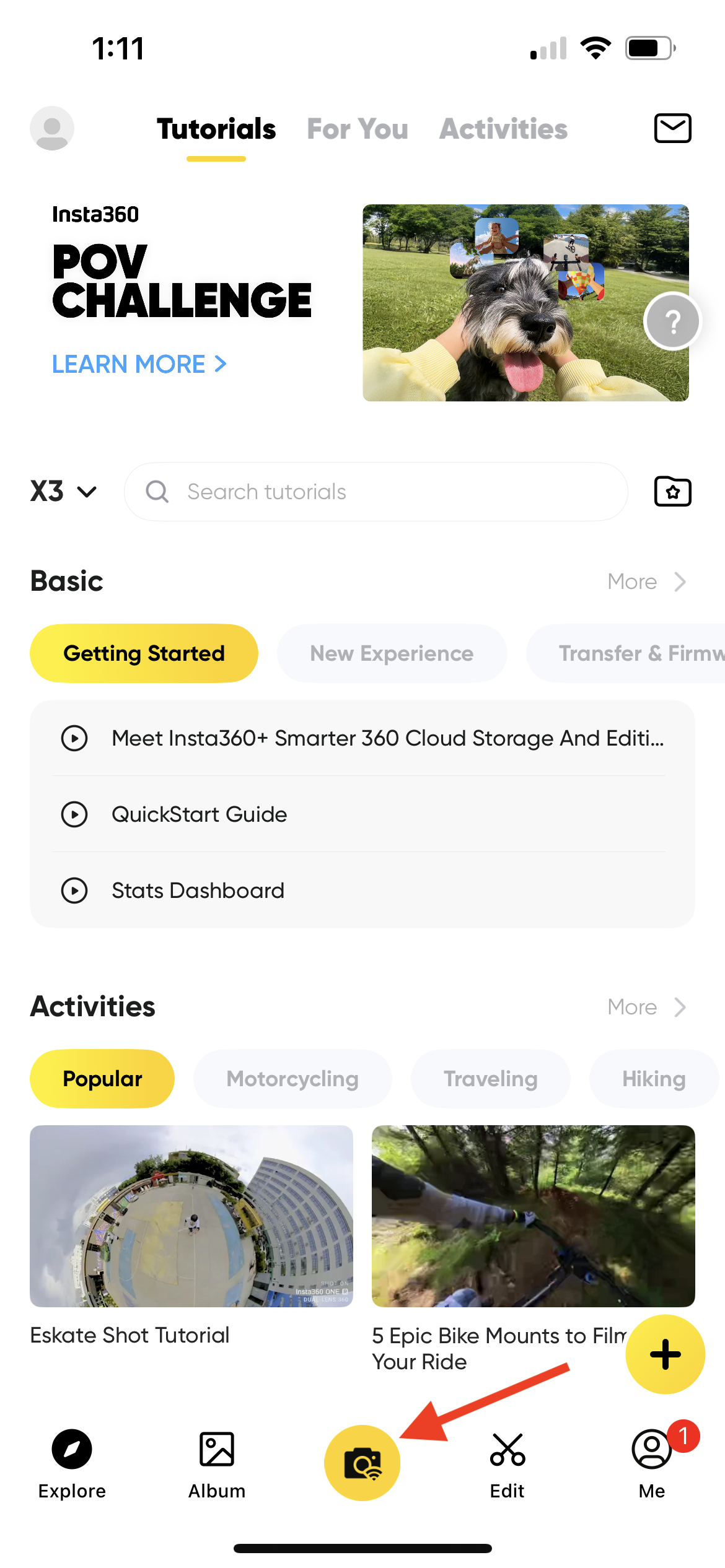
|
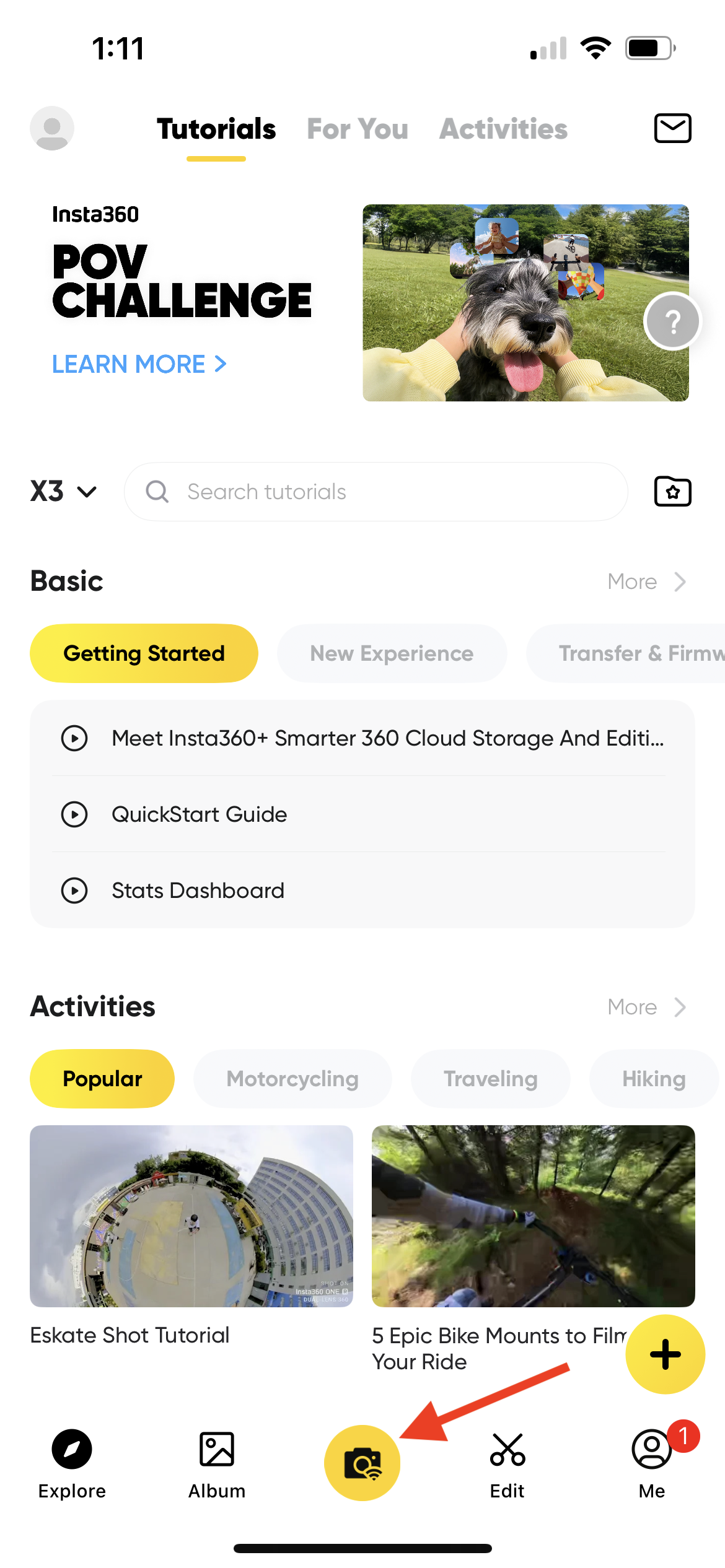
| 4. Press the yellow camera button again |
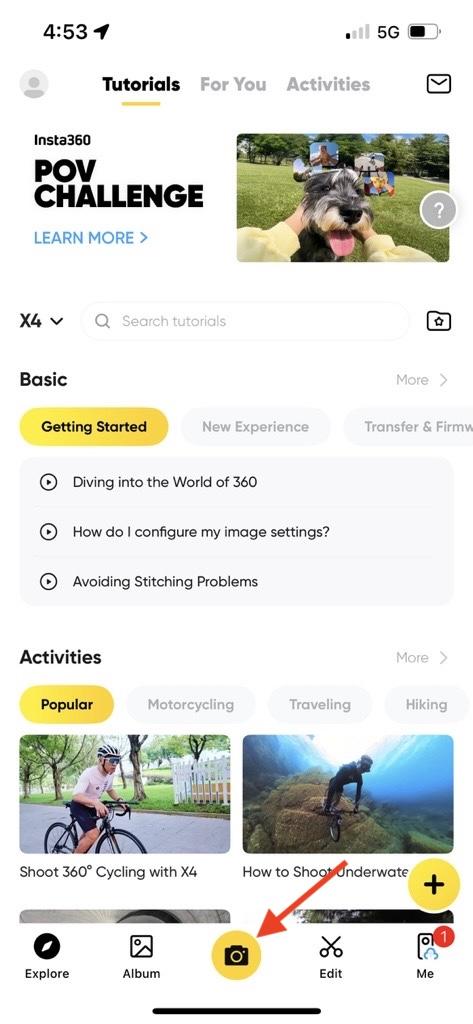 |
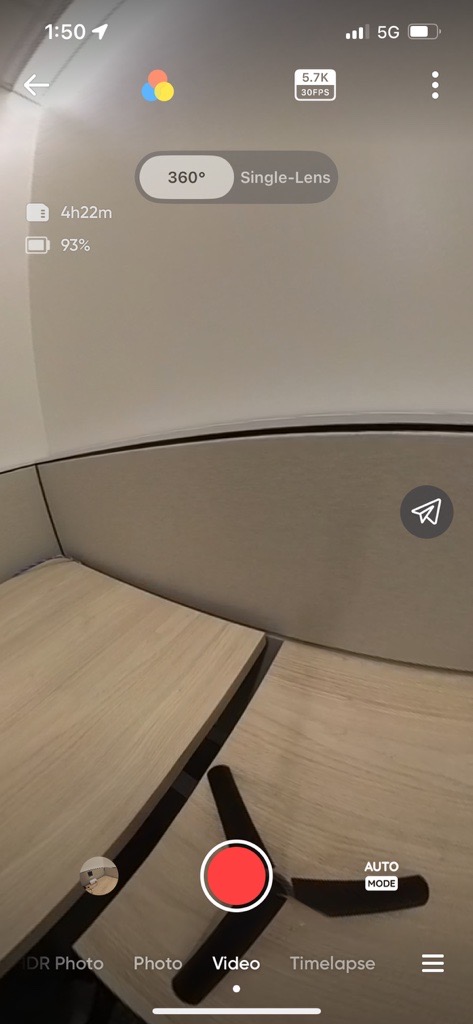
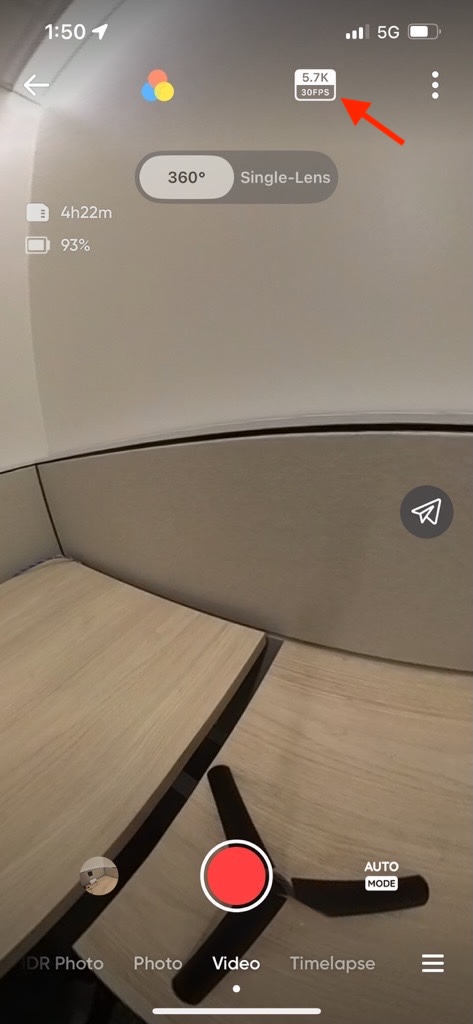
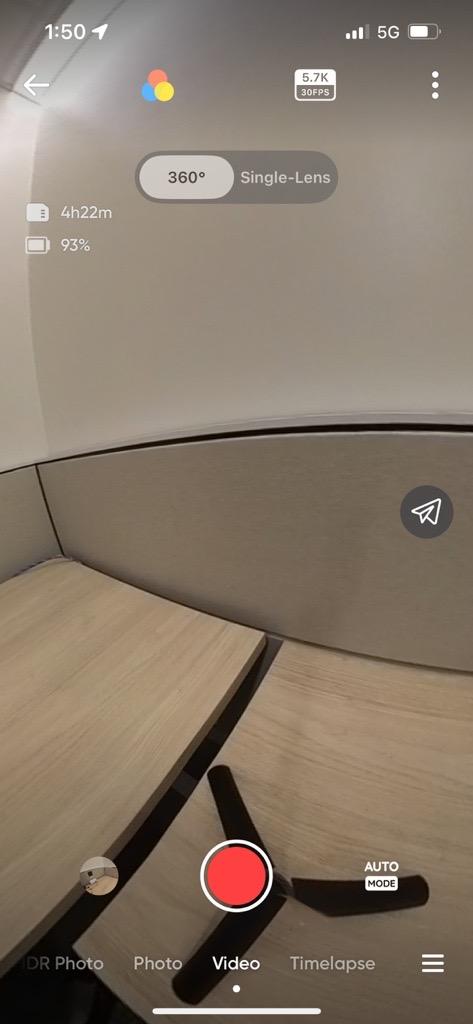
| 5. Confirm your settings, as shown below |
|
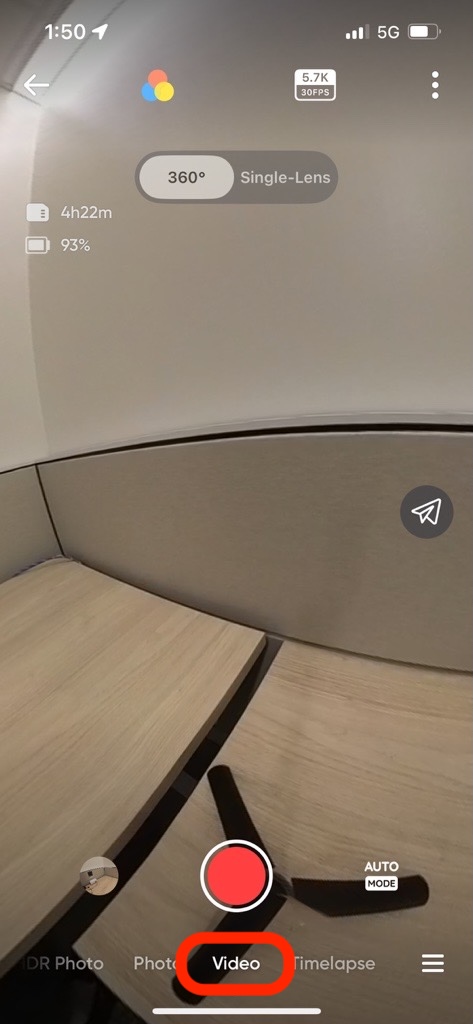
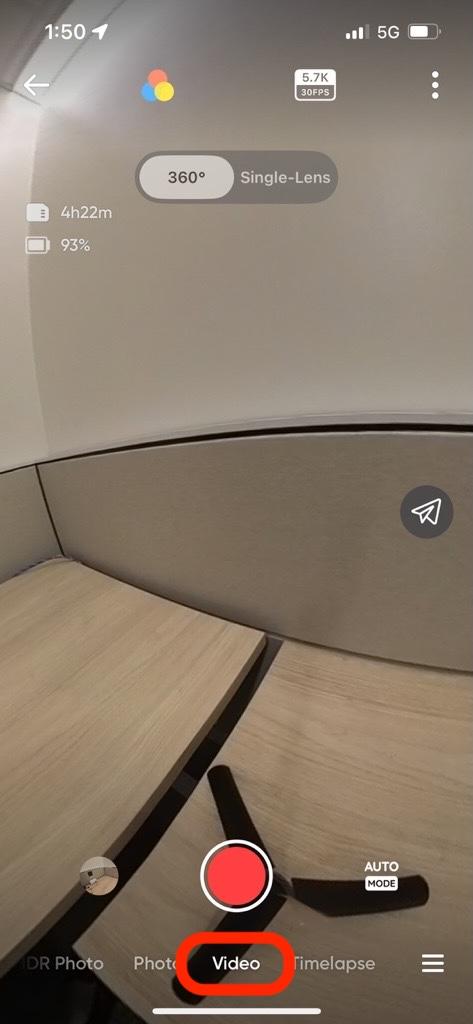
| 5a. Make sure Video is selected |
|
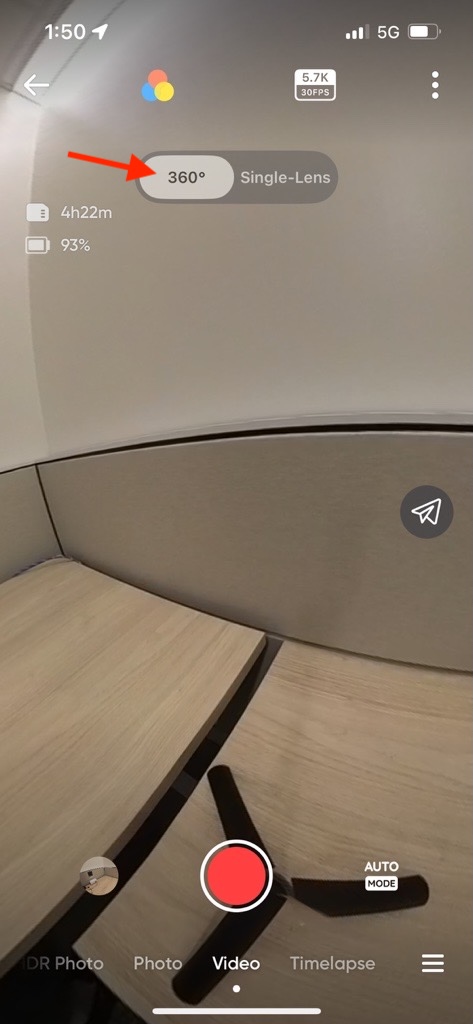
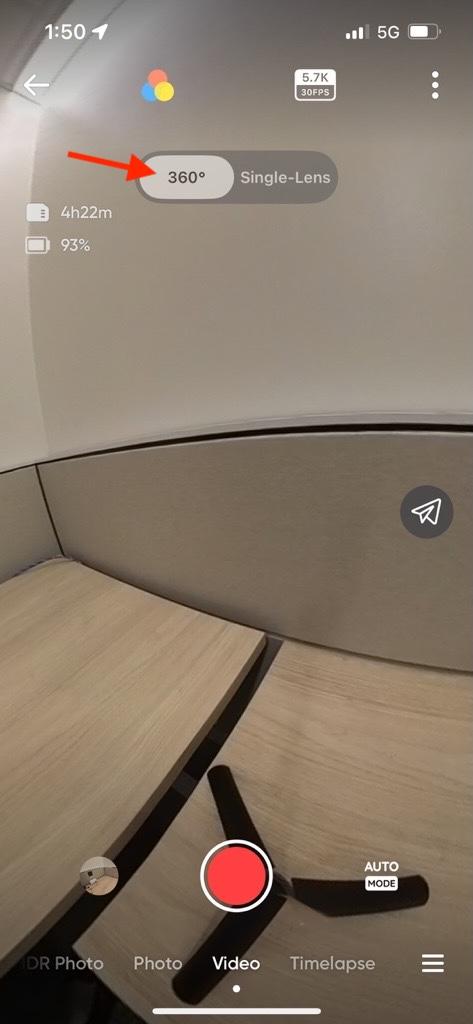
| 5b. Select 360 |
|
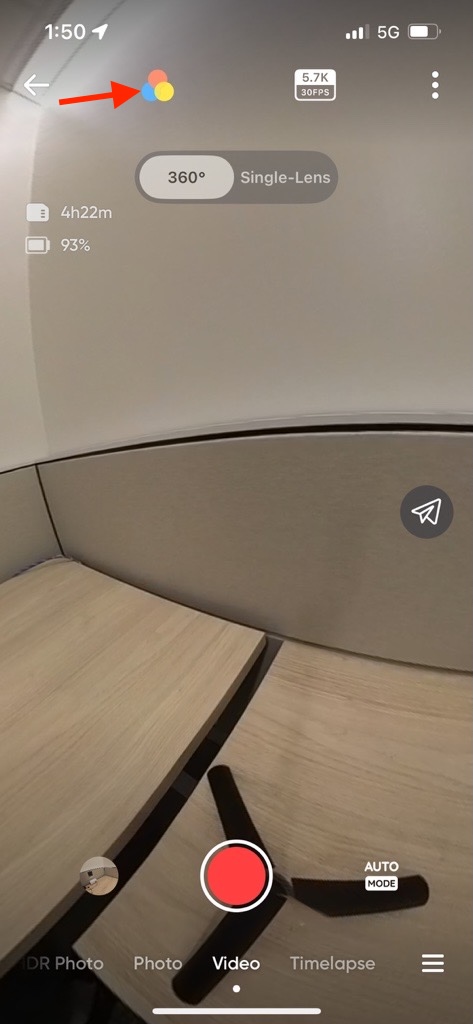
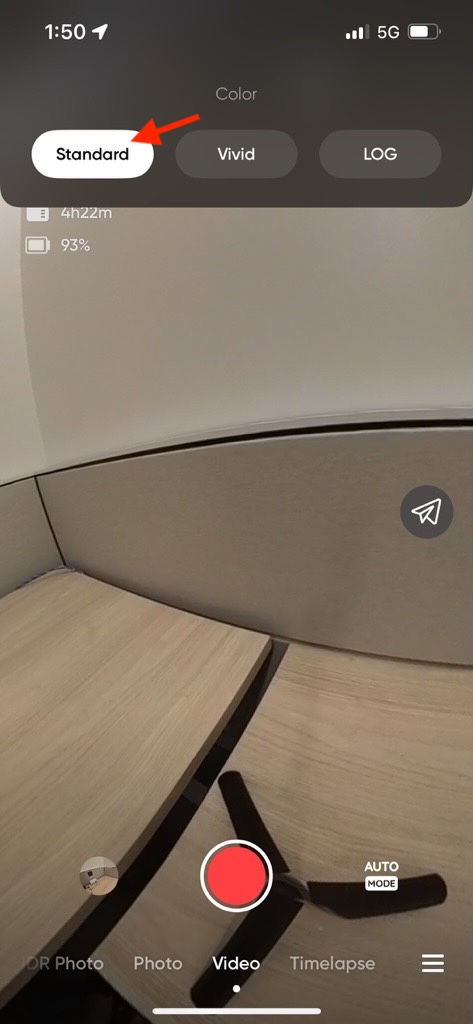
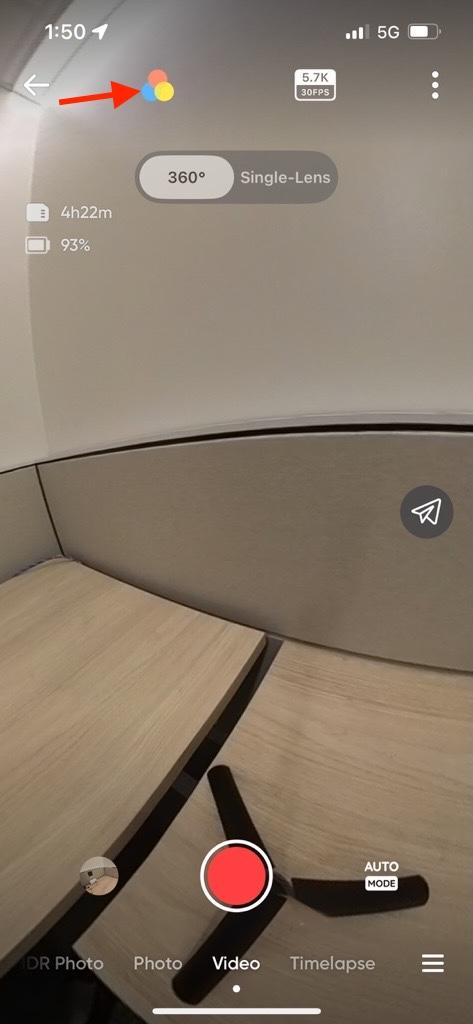
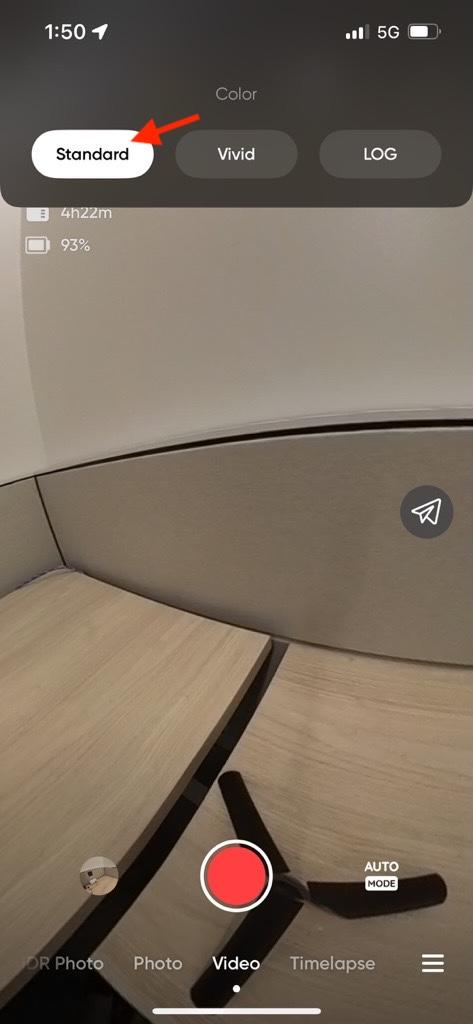
| 5c. Tap the color icon and select Standard |
|
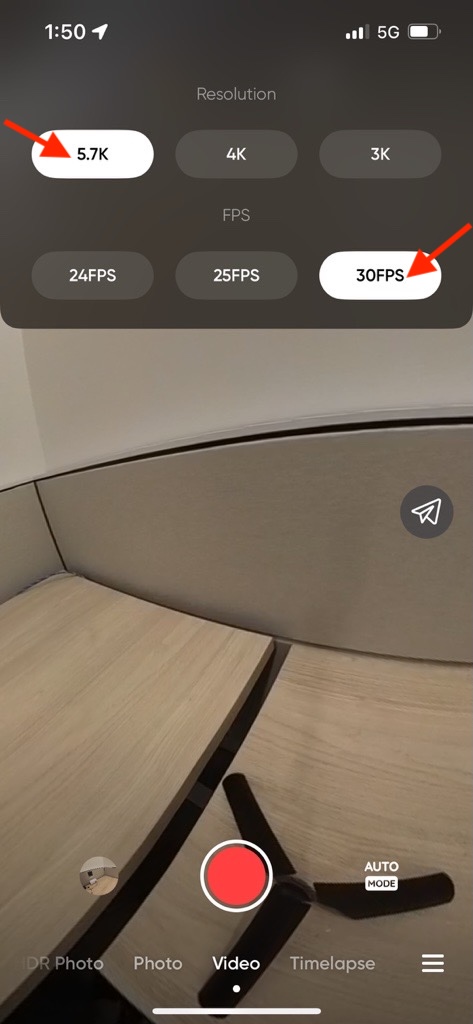
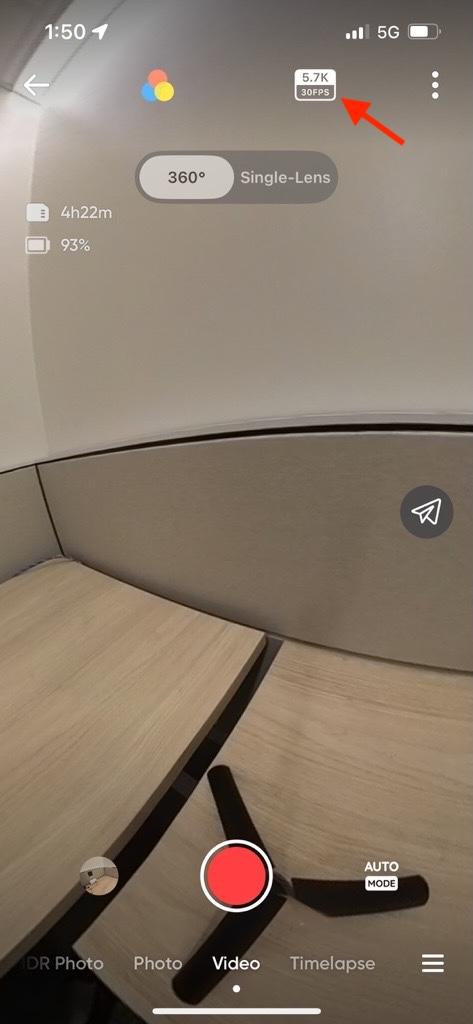
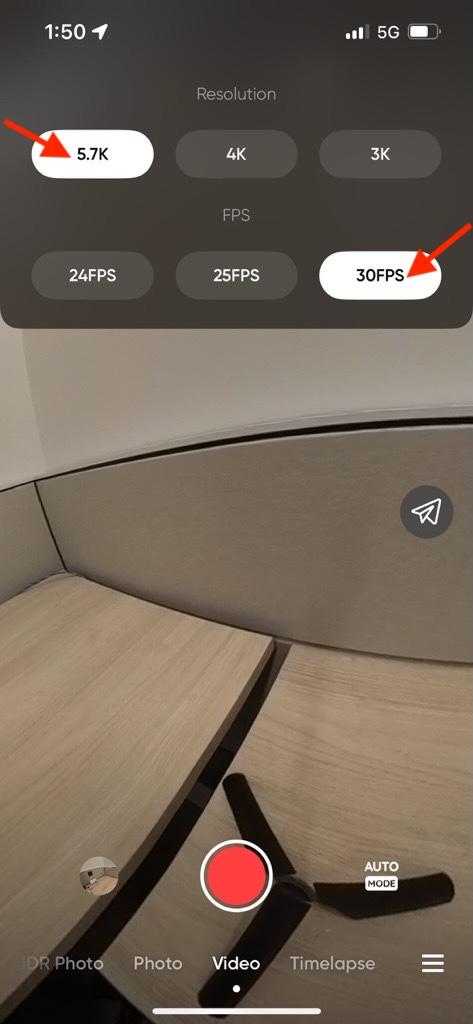
| 5d. Tap the Resolution and FPS button and select 5.7k and 30 FPS |
|
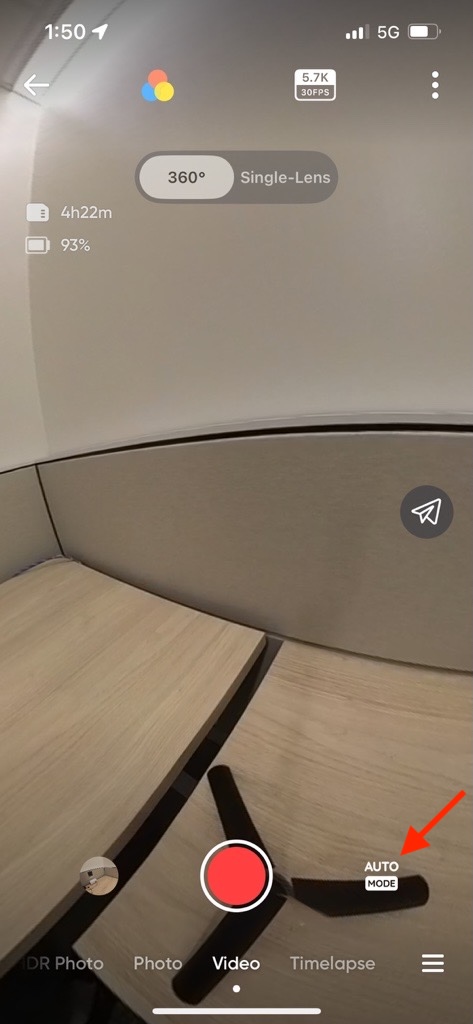
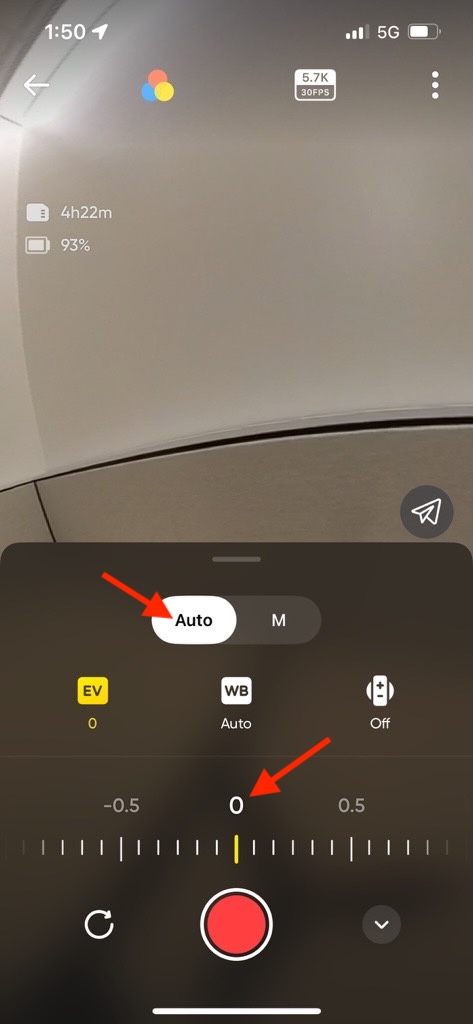
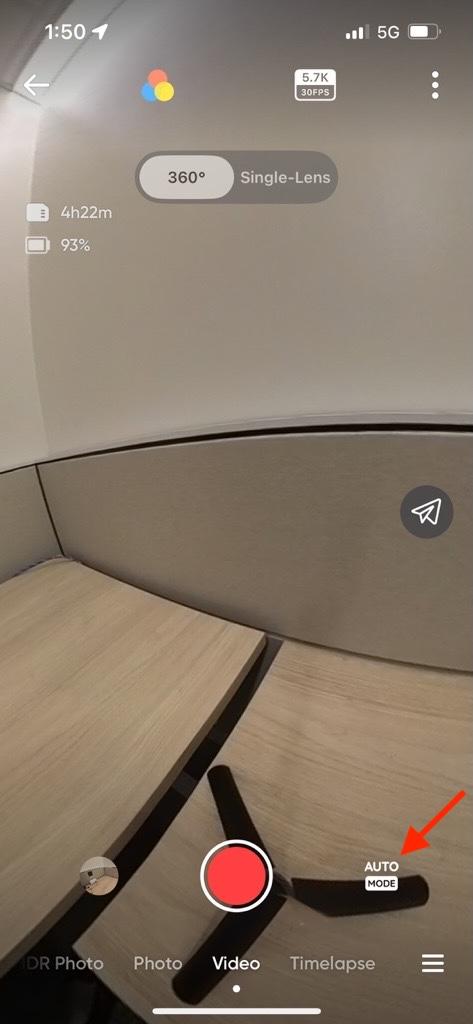
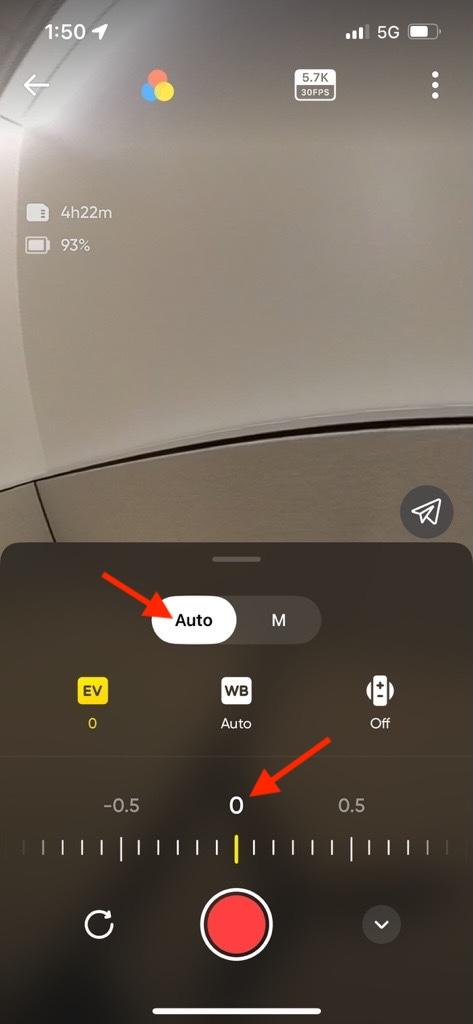
| 5e. Tap the mode button and make sure Auto is selected and EV is set to 0 |
|
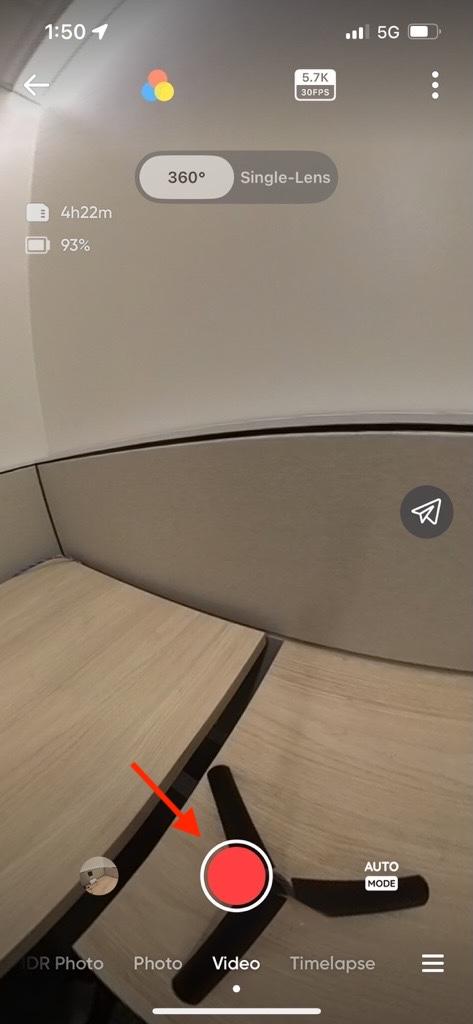
| 6. After the settings are correctly selected, press the red button to begin recording. Note that the screen on the camera itself will go dark when using the app. |
|